
Desk Link: Turning Everyday Desk Use into Healthy Habits
Project Type
User Research
UX/UI Design
Branding
Usability Test
Role
UX/UI Designer
UX Researcher
Duration
Feb - Jun 2024
Tools
Figma
FigJam
Project Overview
Desk Link is a desktop, mobile, and smartwatch application that helps height-adjustable desk users access desk functions easily and build healthier working habits. The project started with user research to understand and support users’ needs, leading to an application that not only improved user experience but also boosted desk sales.
Project Goal: To create a simple, encouraging app that helps people move more and feel better while they work.
User Research & MVP
I conducted user behaviour research to understand how people interact with height-adjustable desks – what they try to achieve, what obstacles they face, and how an application could better support them. (Click here to see the full research details.)
From these insights, we defined the MVP (Minimum Viable Product) and key features.
MVP
Compact menu-bar app that stays available without interrupting work
Daily goals and progress tracking that motivate without dashboards
Customizable reminders so users can set their own rhythm
Gentle, actionable notifications with one-tap desk control
UX Design
I translated the research findings and requirements into task-focused user flows and a clear information architecture, ensuring that the app remained simple and purposeful.
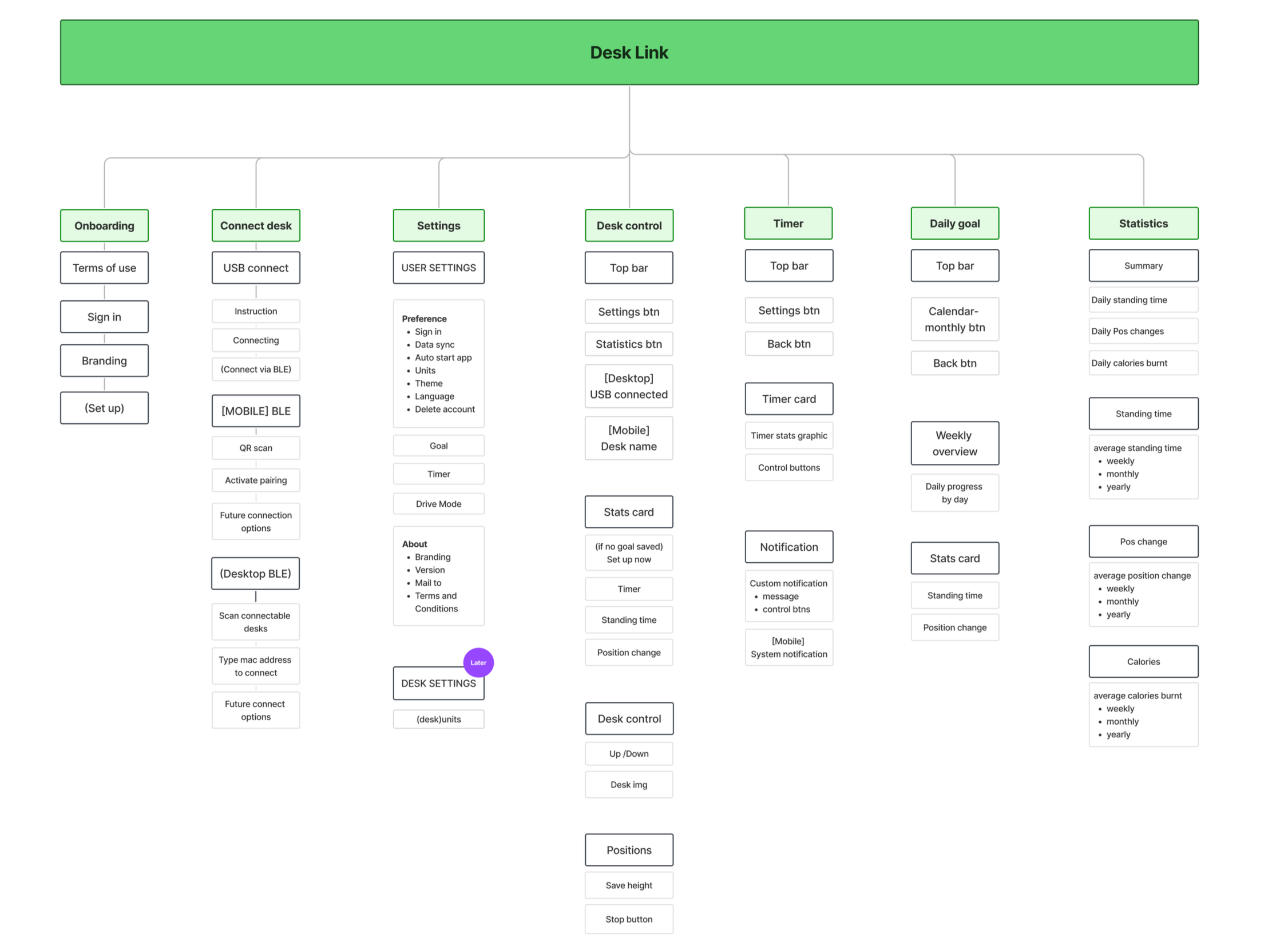
Created a sitemap for a overall structure.
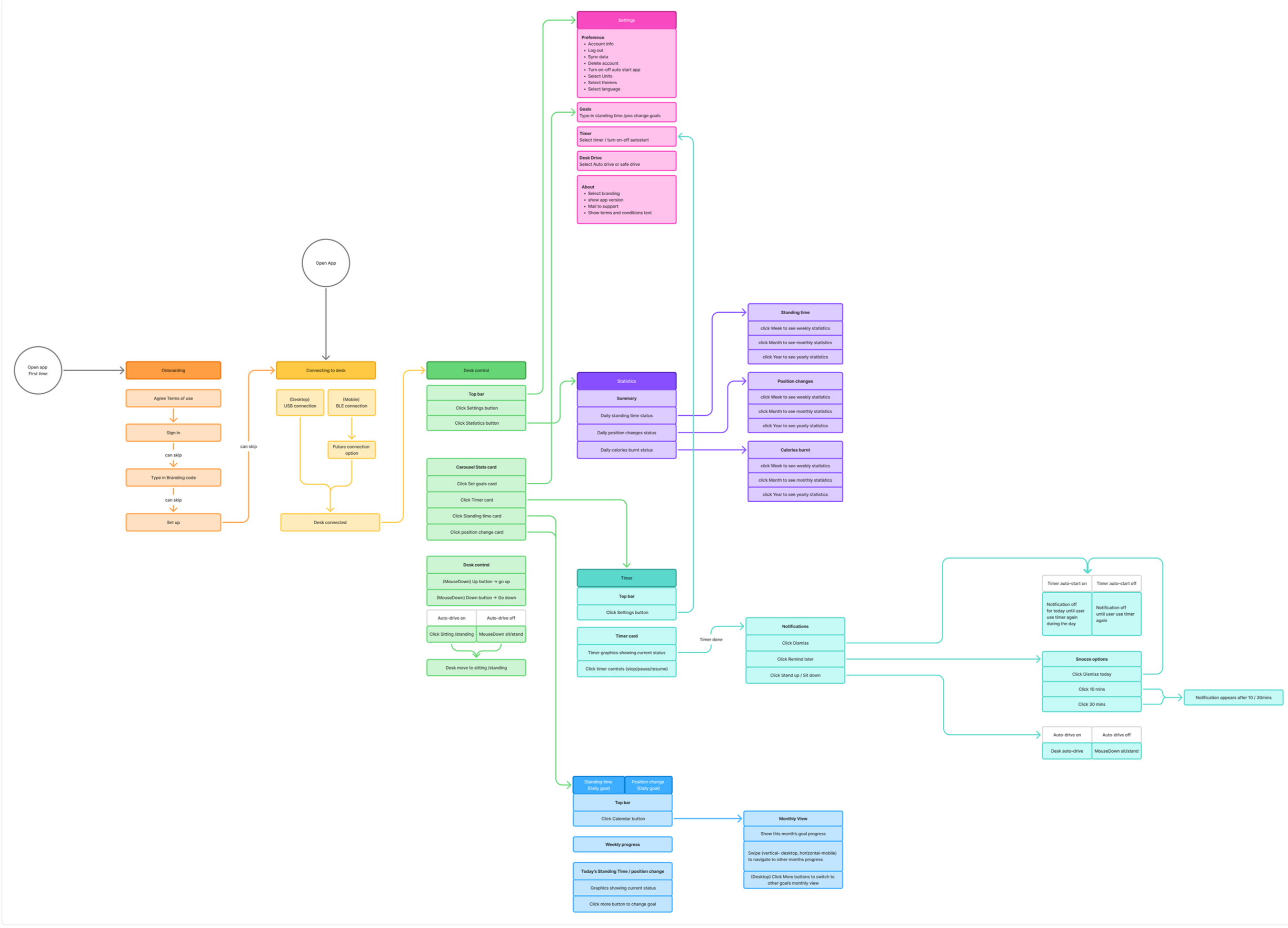
Mapped components on each view and define user flows
UI Design
I designed the logotype, color palette, and visual language for the application, followed by multiple rounds of usability testing to refine the experience.
Branding

The name represents the link between the desk, the device, and the user. The logotype visually implies a soft, chain-like connection to reinforce this idea.
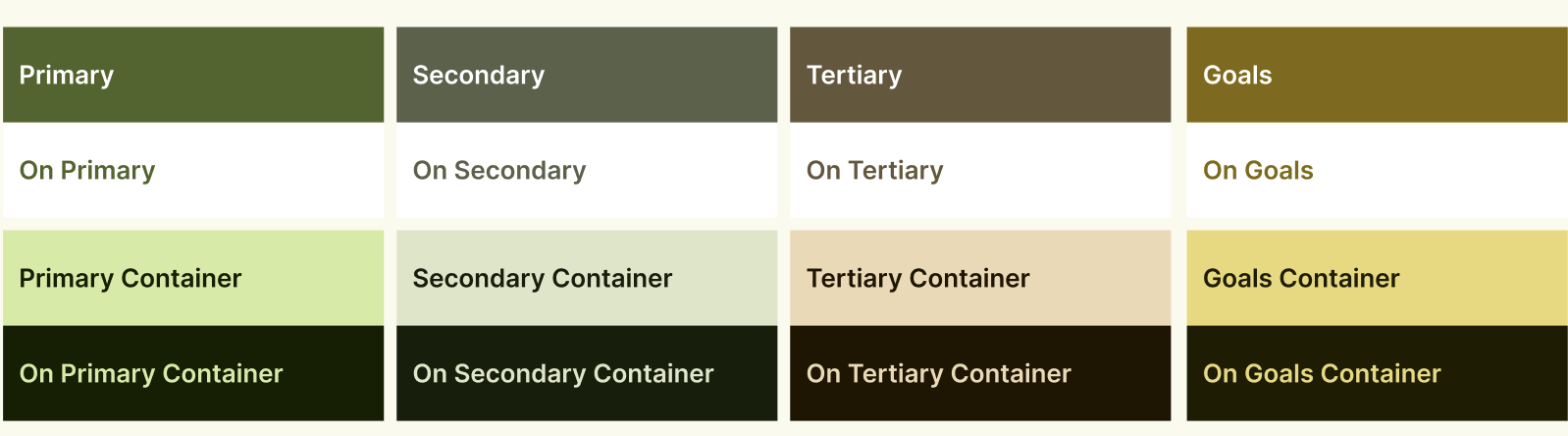
Since the team planned for a white-label application adaptable to partner branding, I implemented Material I/O color tokens to manage colors systematically across client versions. Desk Link’s base palette follows ROL Group’s brand colors, complemented by brighter accent tones to give the UI a fresh, lively feel.
Key UIs & Design decisions
1 . Compact app that stays out of the way.
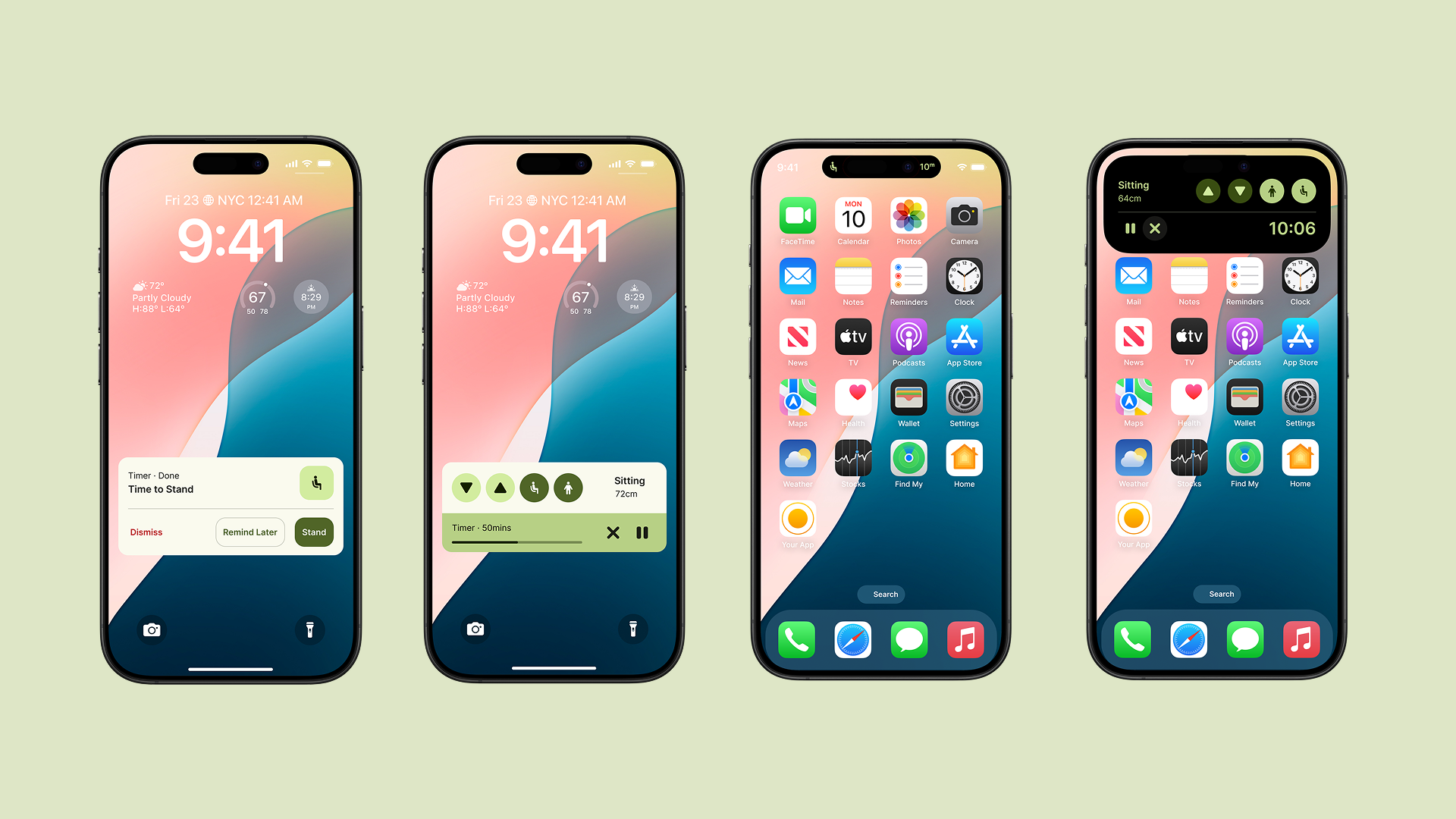
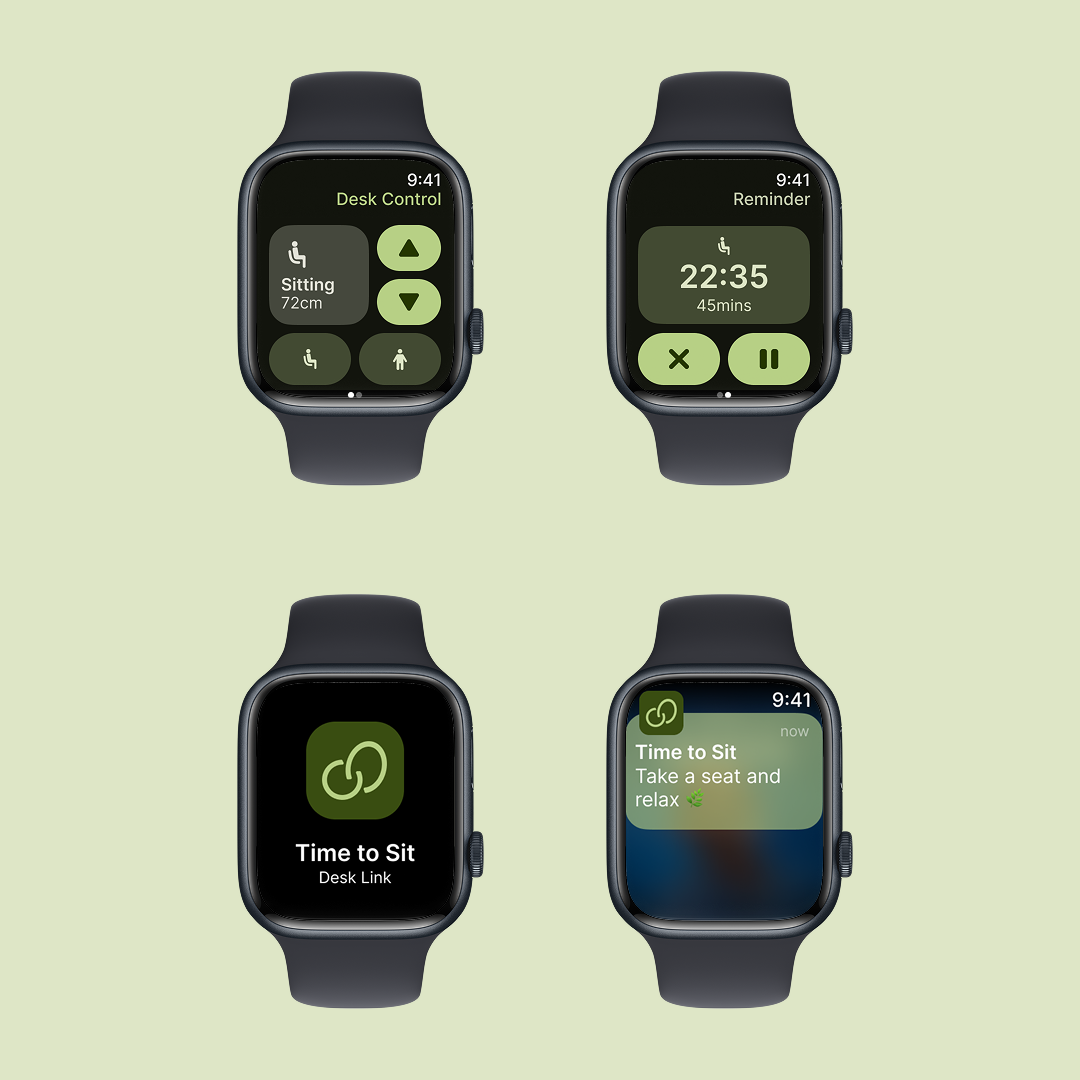
The desktop app was designed as a compact, fixed-size tool that quietly lives in the menu bar—always within reach, never in the way. On mobile, Live Activity and Dynamic Island keep users informed without needing to open the app. We also created an Apple Watch version with simple, swipe-based interactions for quick access on the go.
Across all platforms, only the most essential controls are shown to help users stay focused on their work.
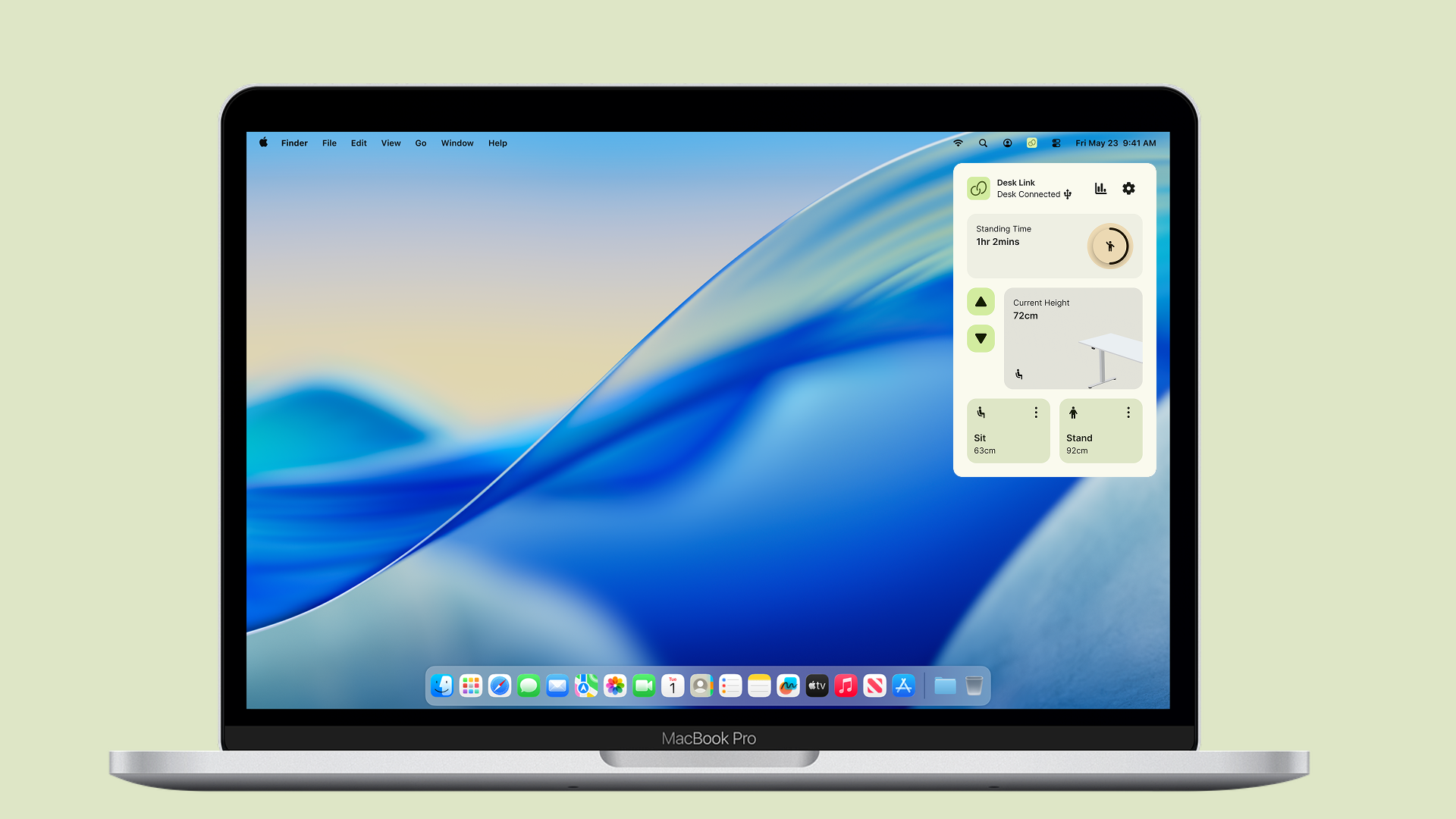
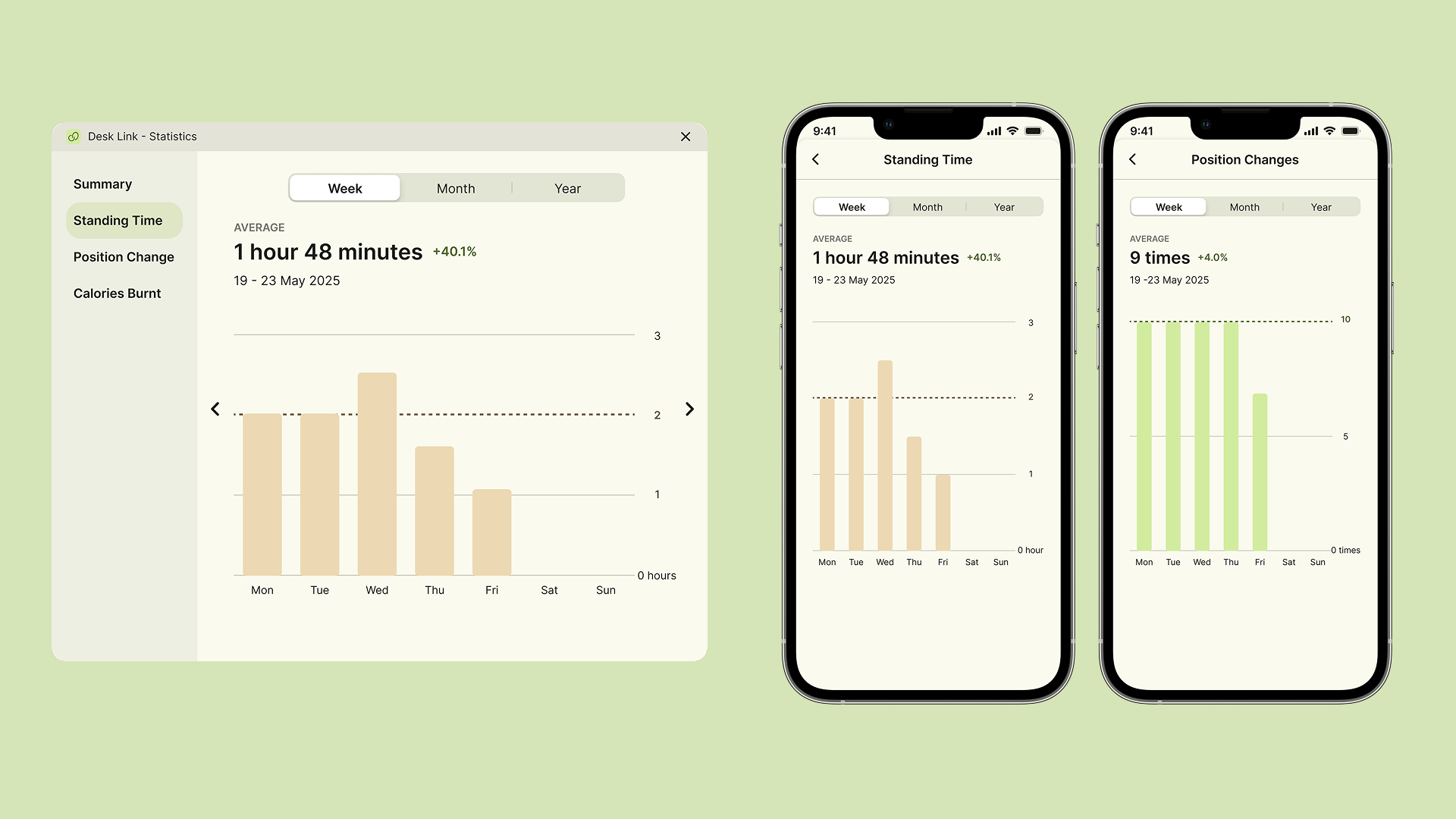
2. Motivating Daily Goals Without Complex Dashboards
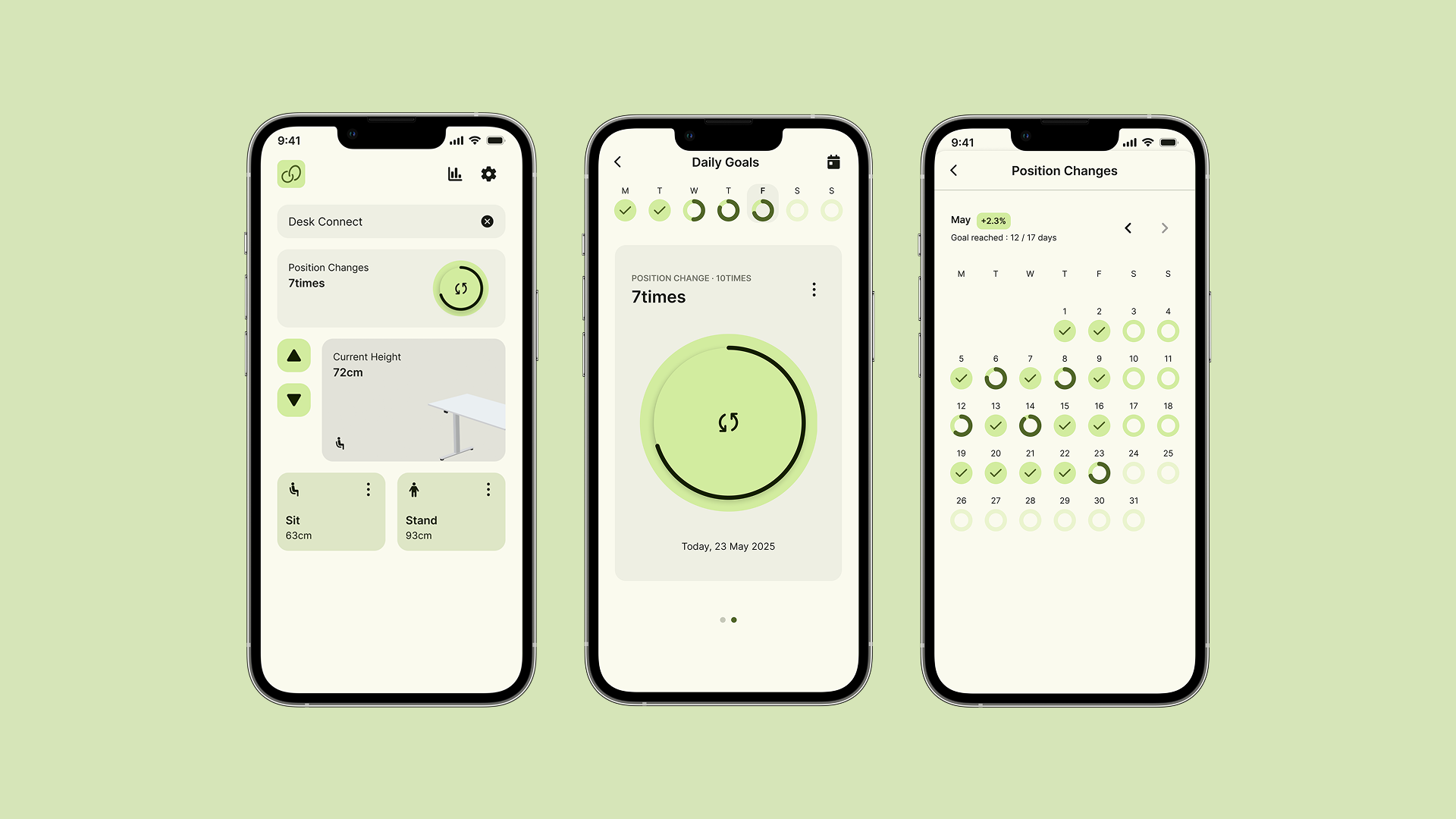
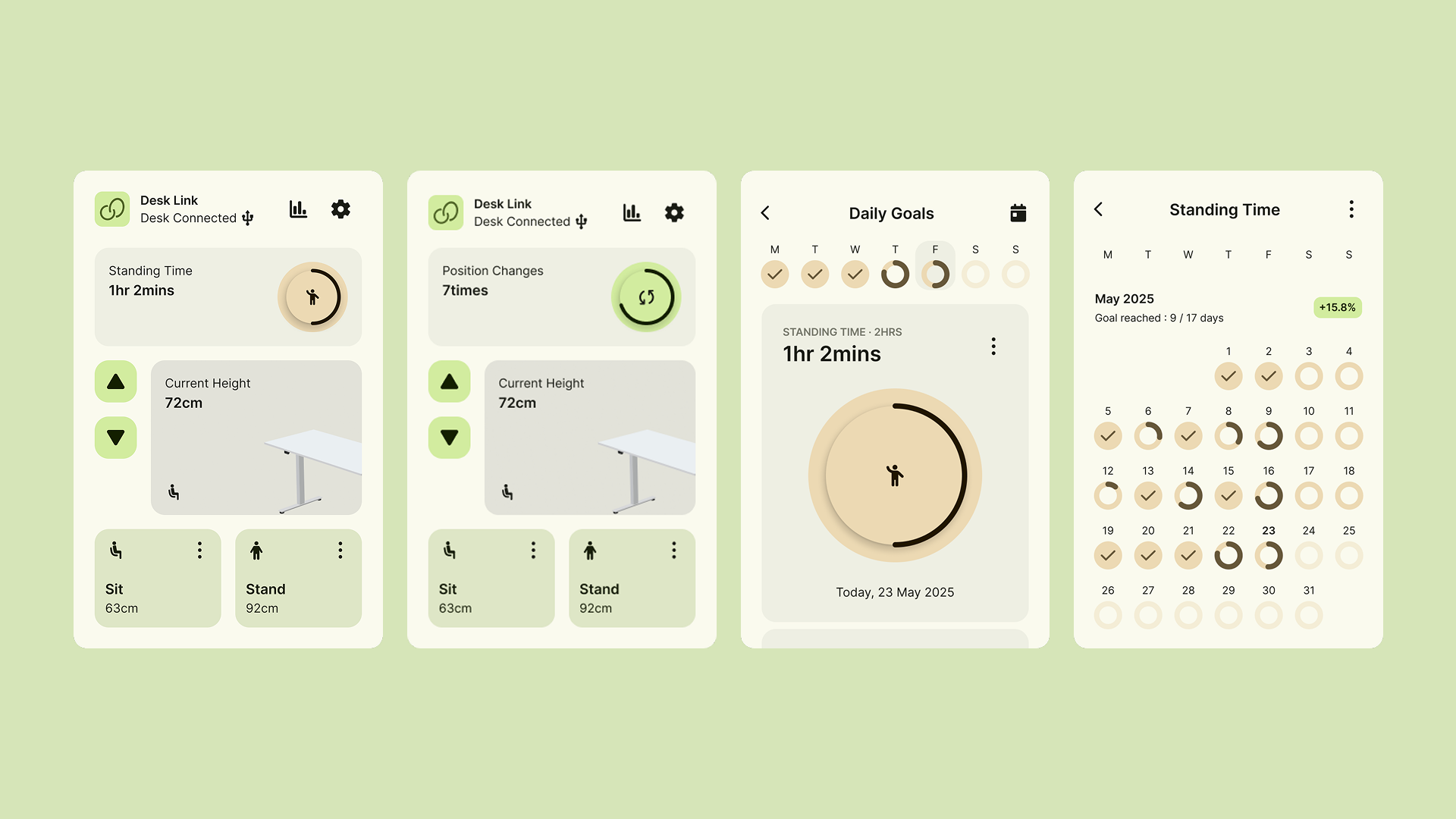
Users see their daily goal progress at a glance via a progress circle on the home screen. They can navigate to more detailed statistics and customize two main goals — total standing time and number of position changes — based on ergonomic research showing these as key factors for healthy habits.
3. Customizable Reminders to Match Individual Rhythms
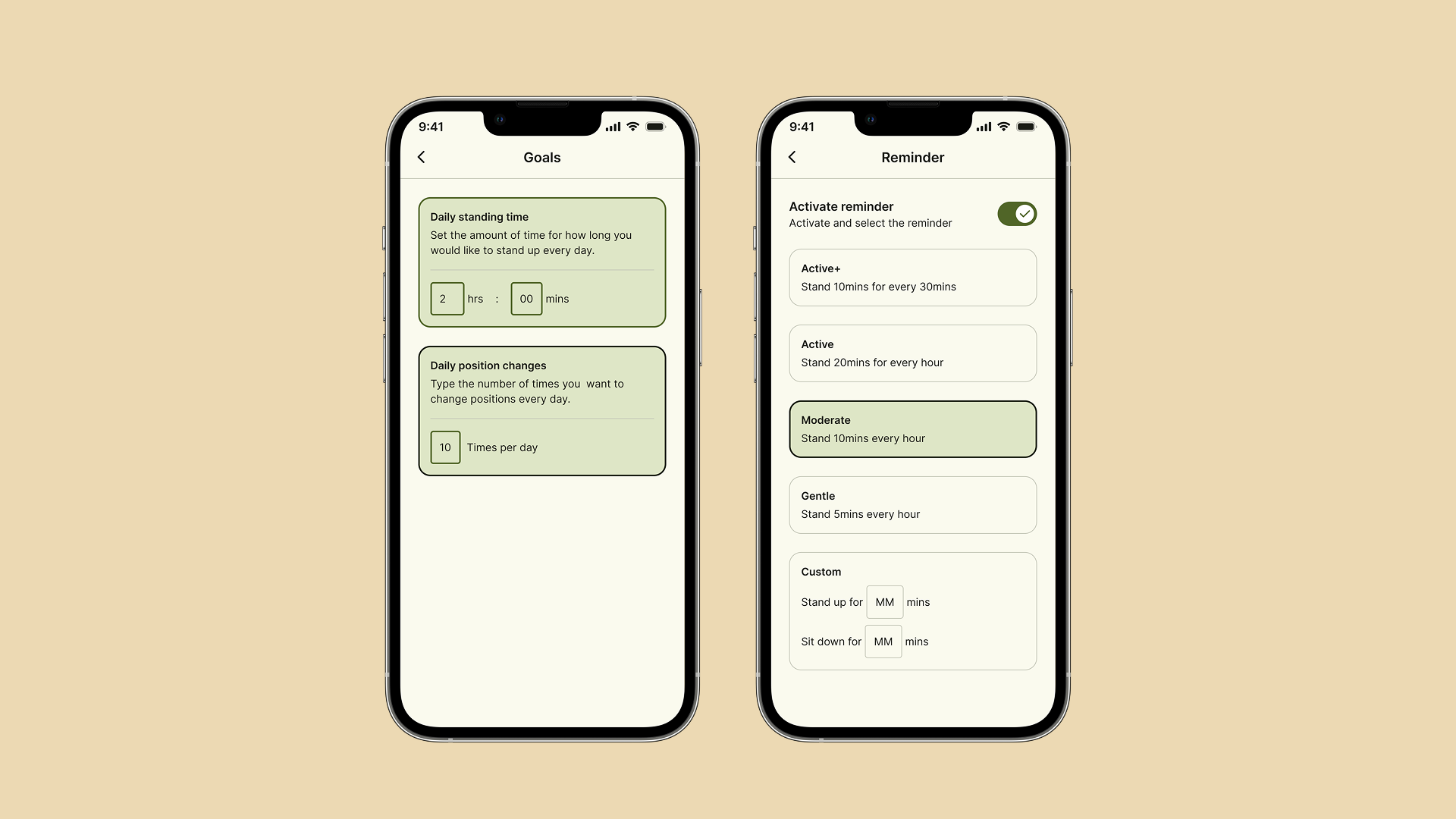
After testing various timer presets with customers and ergonomics experts, I designed three default reminders and one custom reminder option, allowing users to create their own timing preferences.
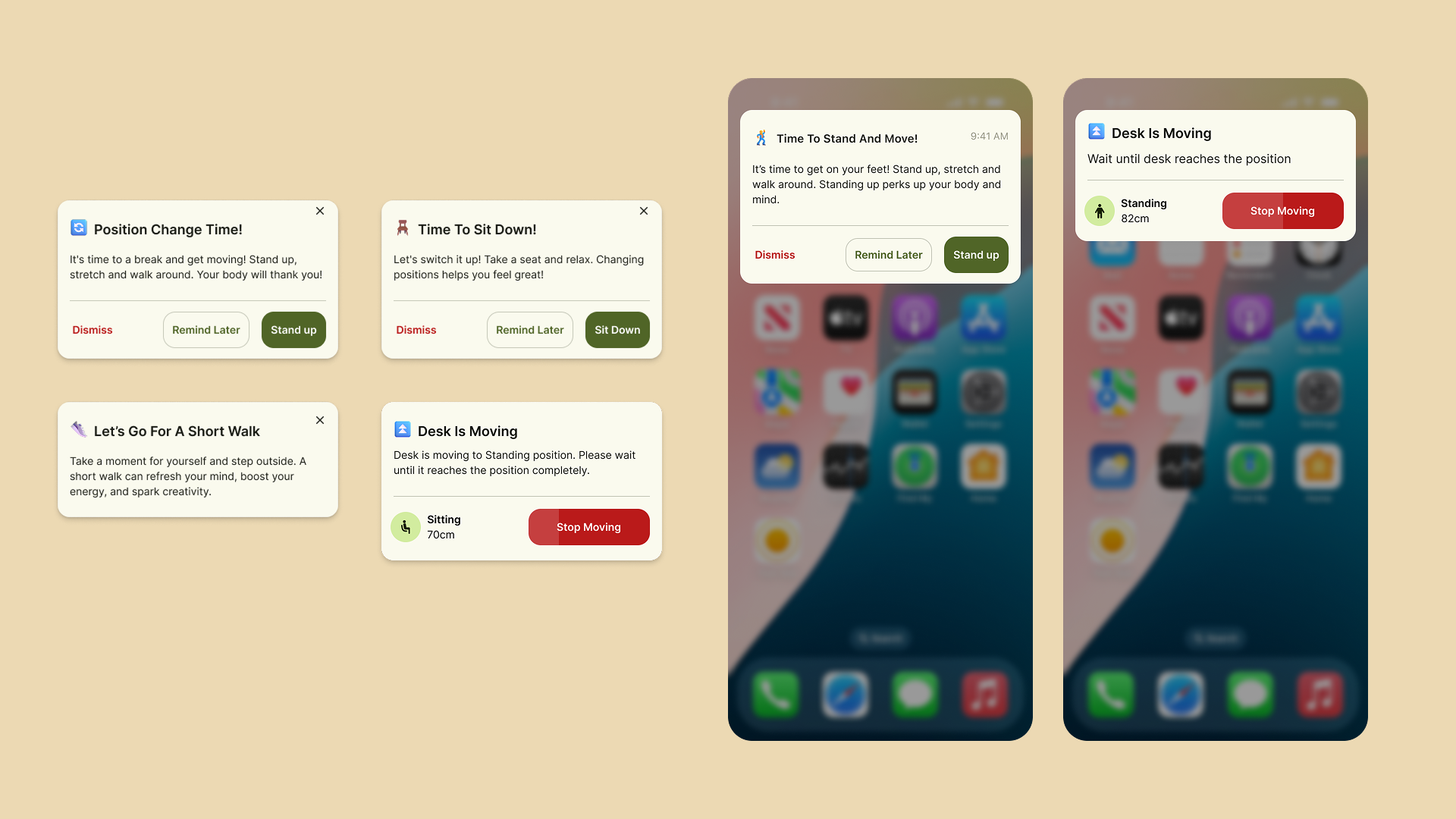
4. Gentle, actionable notifications displaying encouraging messages based on context.
For example :
“How about stretching after a long meeting?”
“You’ve reached 75% of your goal today — keep it up!”
Each notification includes action buttons that let users move the desk directly, without reopening the app.
Impact
24% increase in desk usage after launching reminder and habit-tracking features.
Higher user retention, with more users engaging daily across desktop, mobile, and smartwatch.
Increased desk sales, driven by the added value of a cross-platform companion app that differentiates the product in the market.
Improved partner adoption thanks to a white-label design system that reduced branding and customization effort.
What I learned
Researching before development helped the team design precisely for real user needs.
I learned to design UX structures for Apple Watch, Live Activity, and Dynamic Island on iOS.
I gained deeper insight into designing apps that work effectively in the background — with notifications, quick actions, and minimal interruptions.
Available on App store
The application is available on the App Store. Click the link to download it.
Note: The app requires a height-adjustable desk from ROL Ergo