Helping People Switch Positions Without the Nagging – User behaviour research
Project Type
User Research
Role
UX Researcher
Duration
Feb - Mar 2024
Tools
FigJam
When we kicked off a new desk control app, we wanted to avoid guesswork. Instead of starting with screens, we started with people: why they switch (or don’t), how they work through a day, and what actually helps.
Goal
Approach & Method
We used Indi Young’s Mental Models framework to uncover people’s underlying goals and thought processes when using height-adjustable desks. This approach turns qualitative interviews into structured insights helping define what people are trying to accomplish
Participants
10 office workers aged 30–55) who regularly used a sit-stand desk and control app. Participants were recruited through personal and professional networks.
Process
Behaviour inventory: listed desk-related actions through a workday and grouped them into primary tasks.
Behavioural segmentation: Identified five user types based on real behaviors; Task-Locked Sitters, Socially Cued Movers, Health-Driven Switchers, High-Intent Optimizers and Desk Keepers
Interviews: 1:1 sessions focused on actions, intentions, approaches, and feelings.
Analysis: Transcribed quotes, grouped similar tasks into patterns, and built a mental model linking user needs to product opportunities.
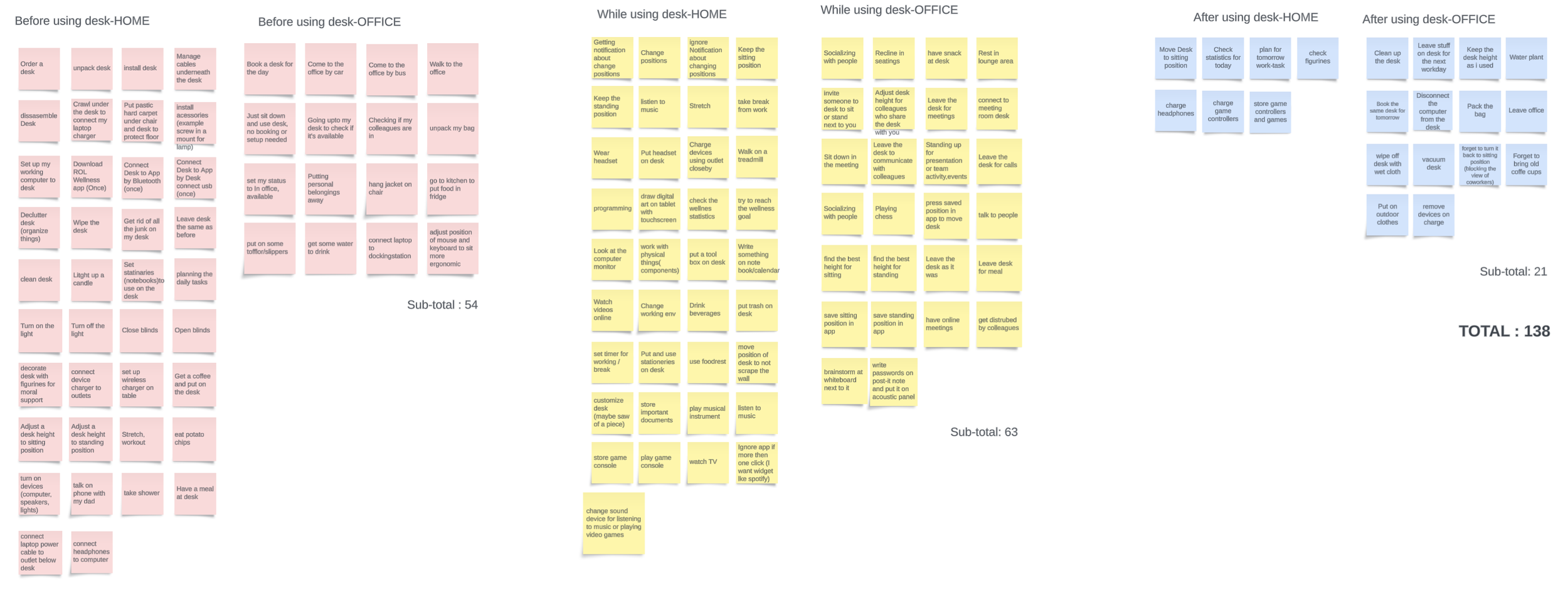
Wrote down all the possible behaviours on desks (In total: 138)
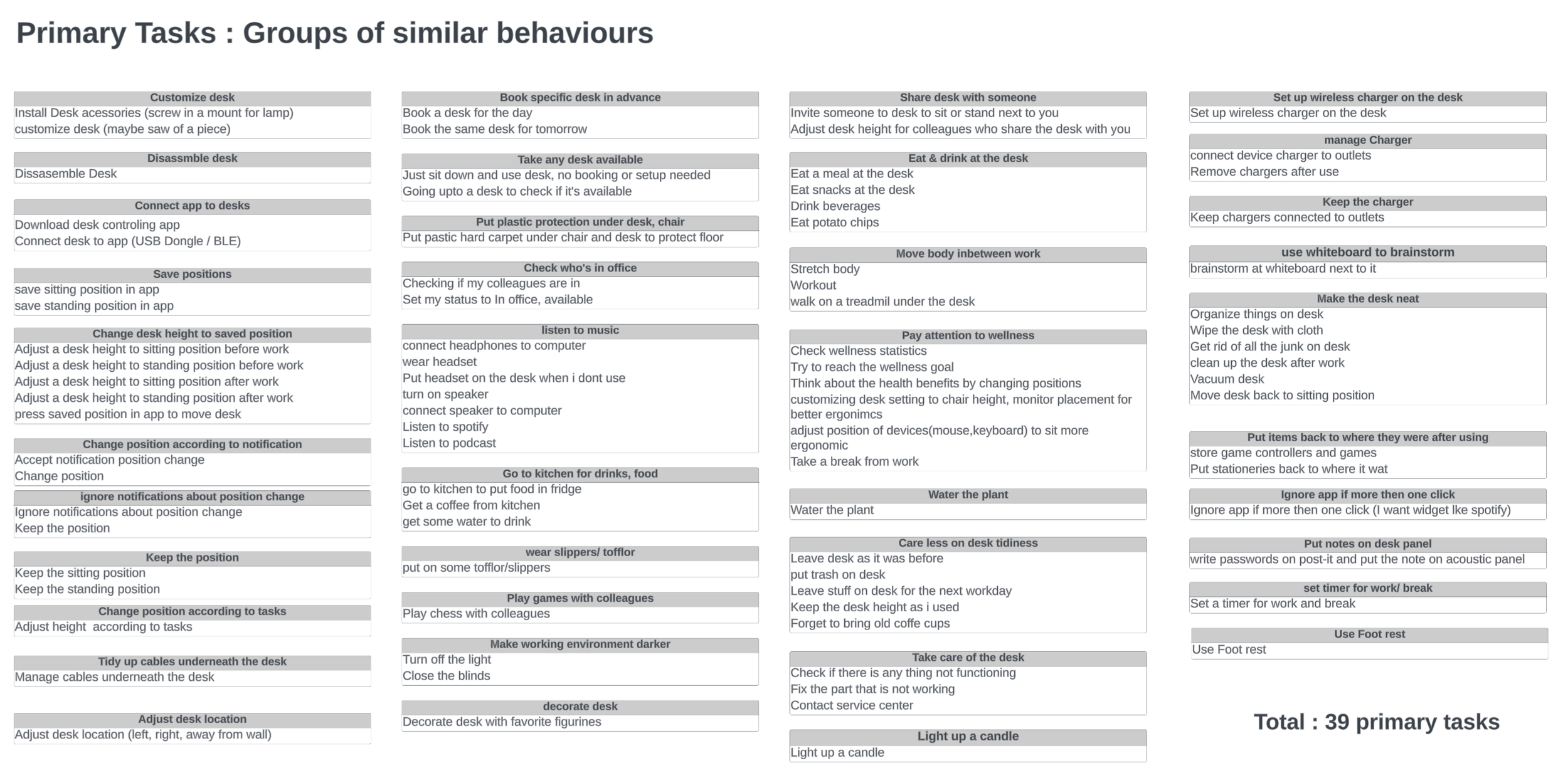
138 behaviours grouped into 39 primary tasks
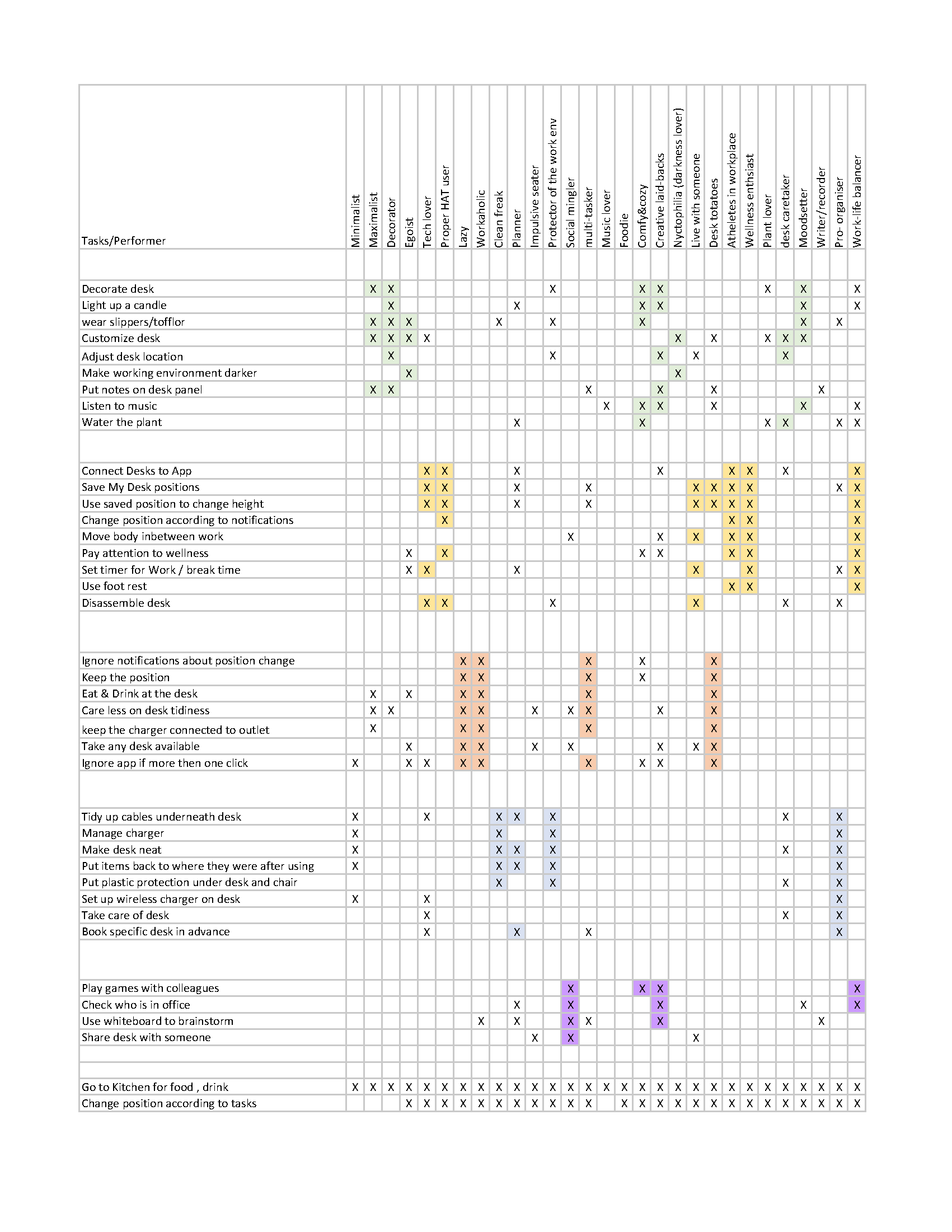
Mapping behaviours to the performers to define user types
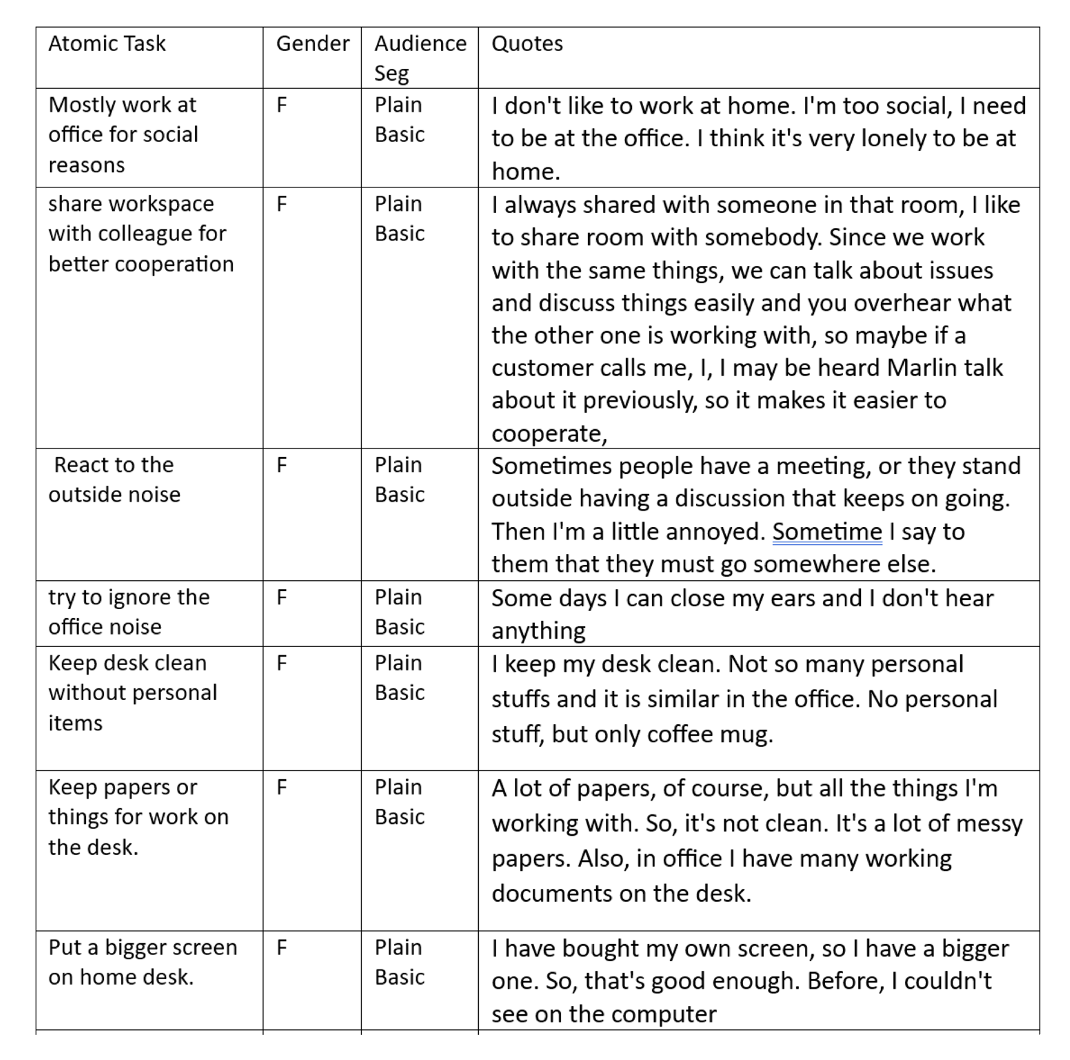
Analyzing the interview scripts
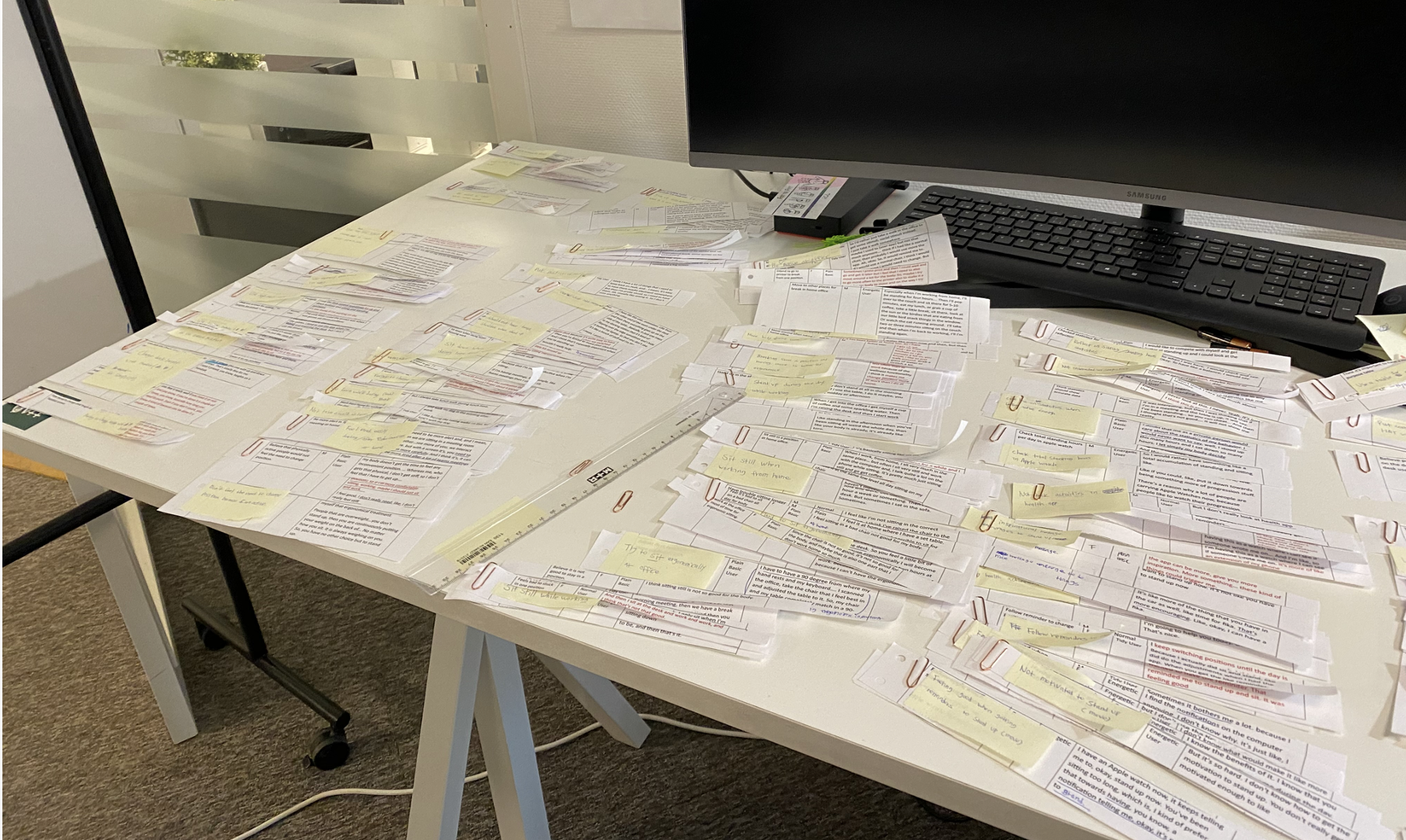
I cut tasks on the paper and sort similar tasks into groups
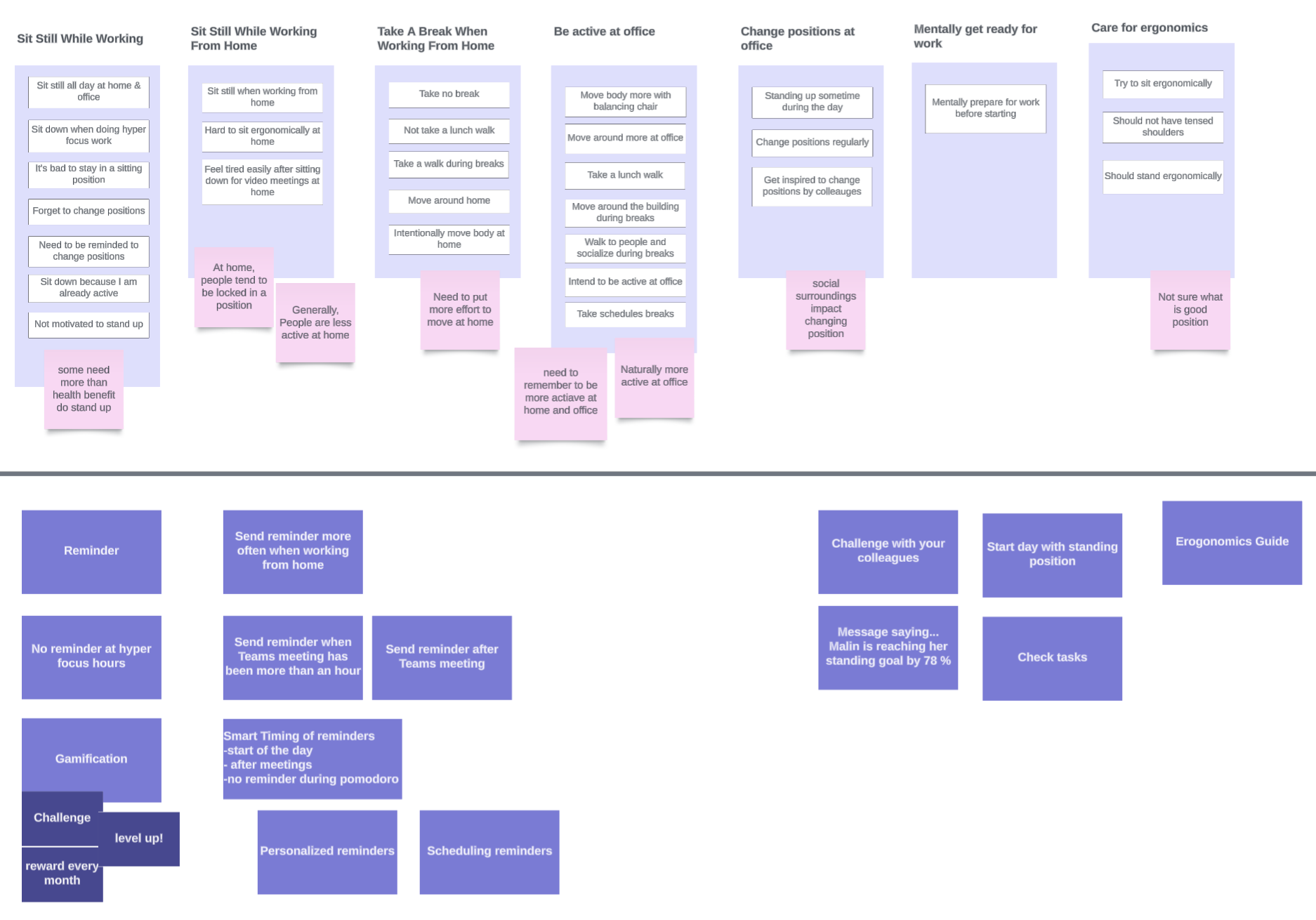
Part of the completed mental model (How user utilizes desk during the day)
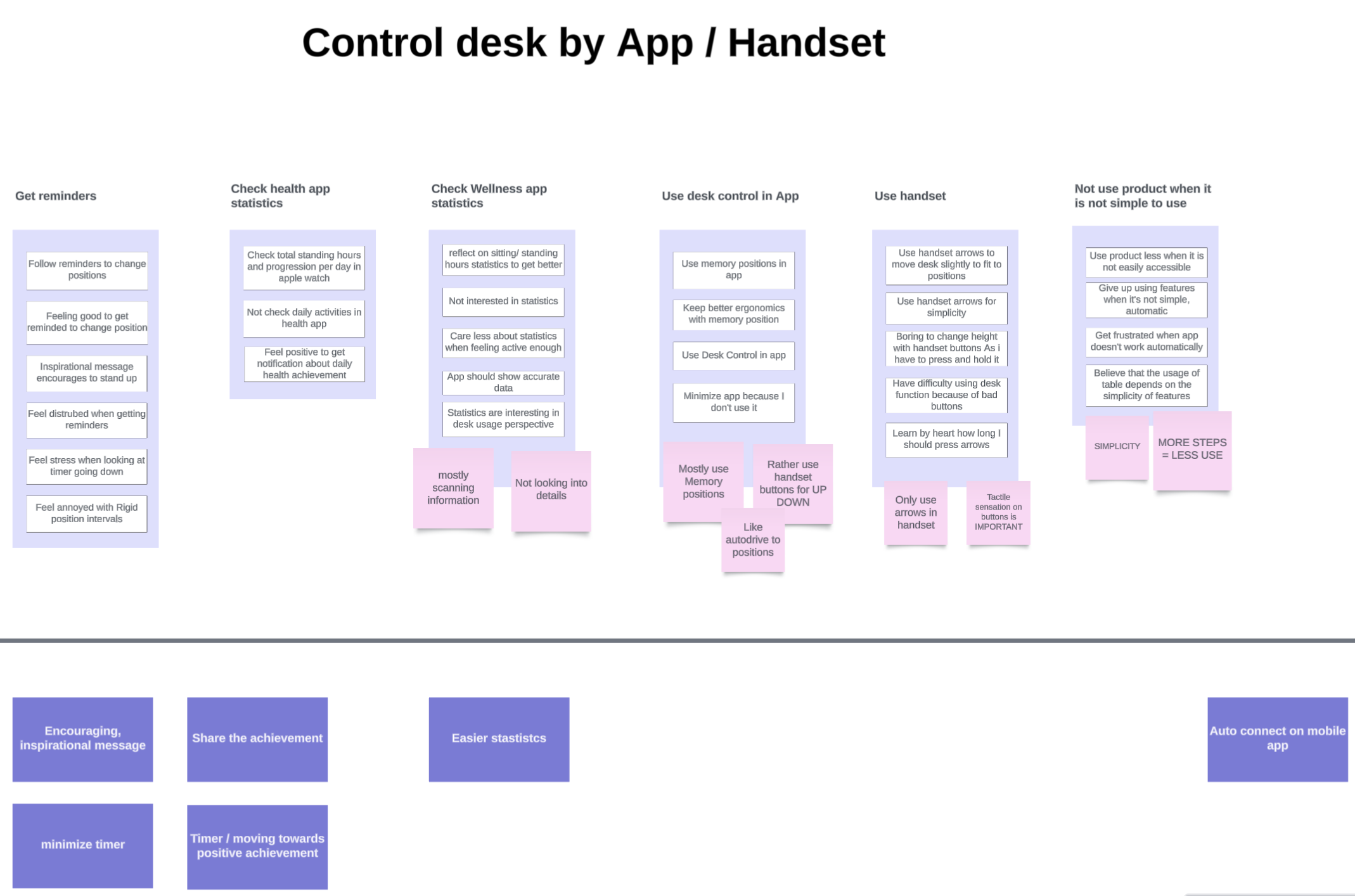
A part of completed mental model (How user controls desk)
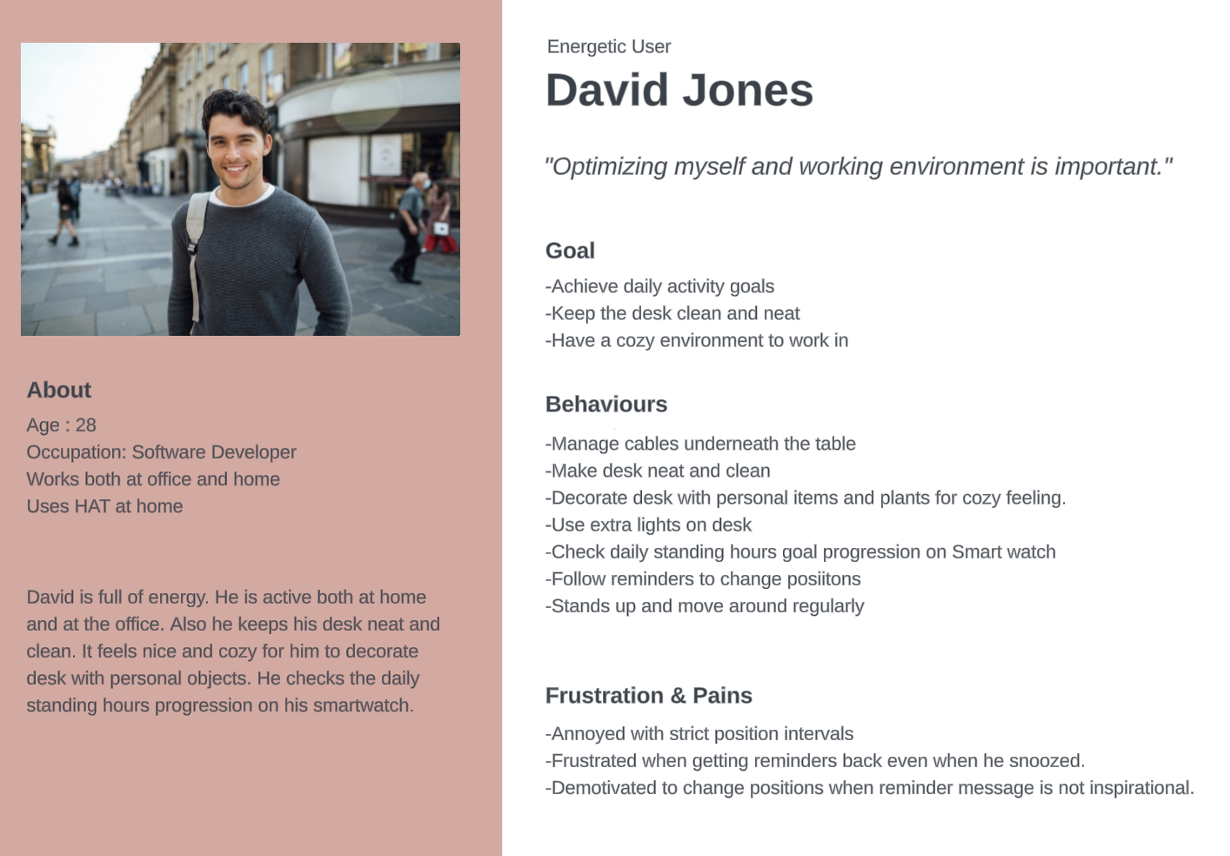
Behaviour-Based User Personas
Created five user personas based on on real behaviours.
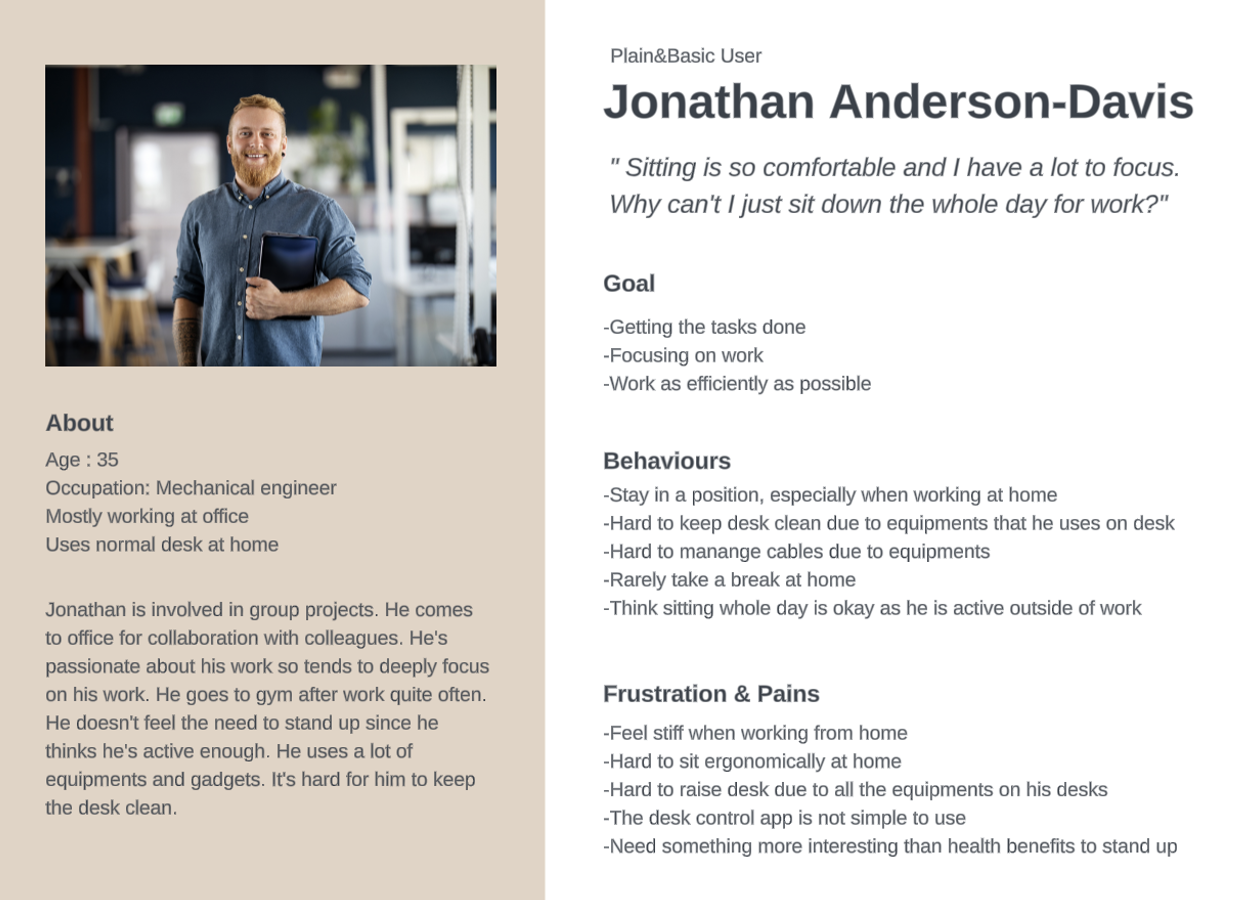
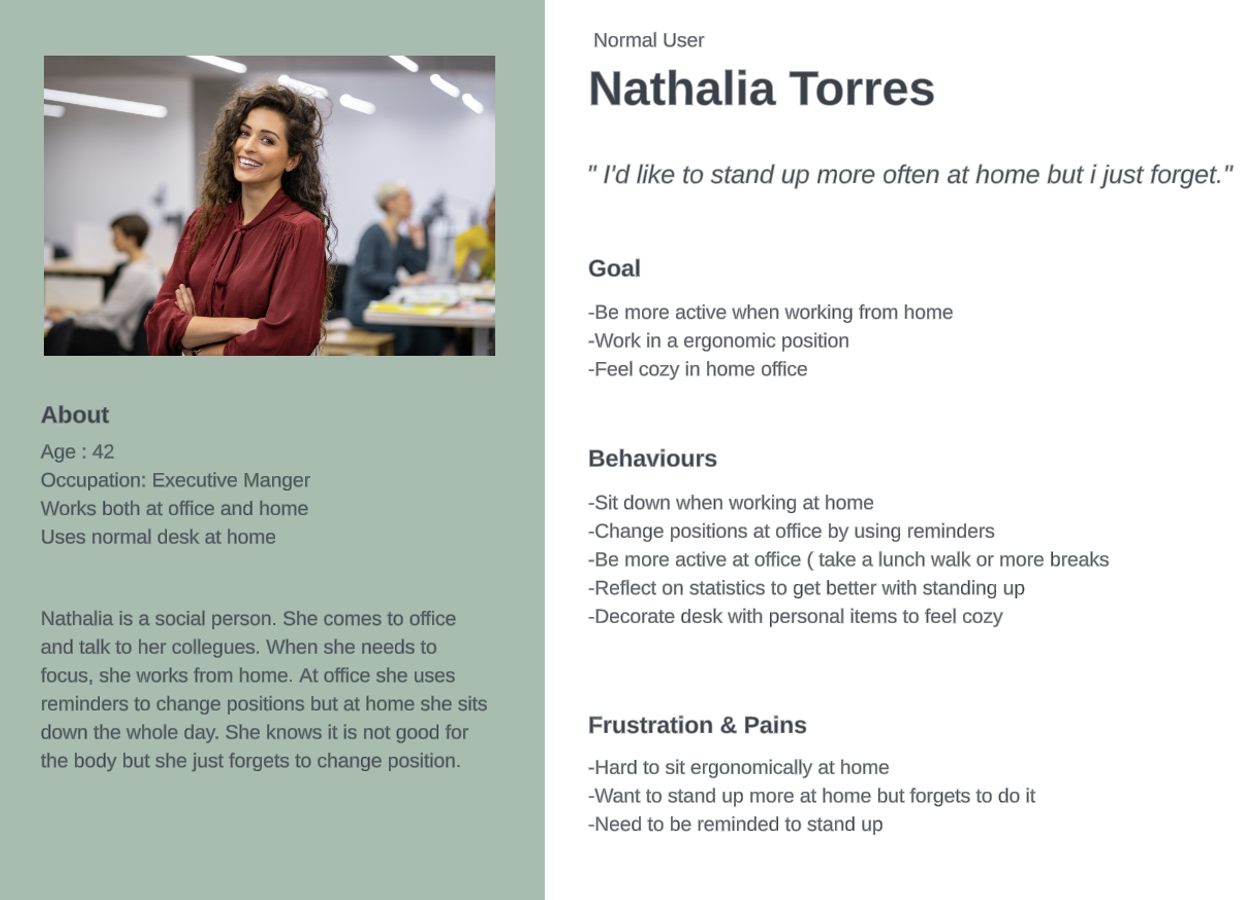
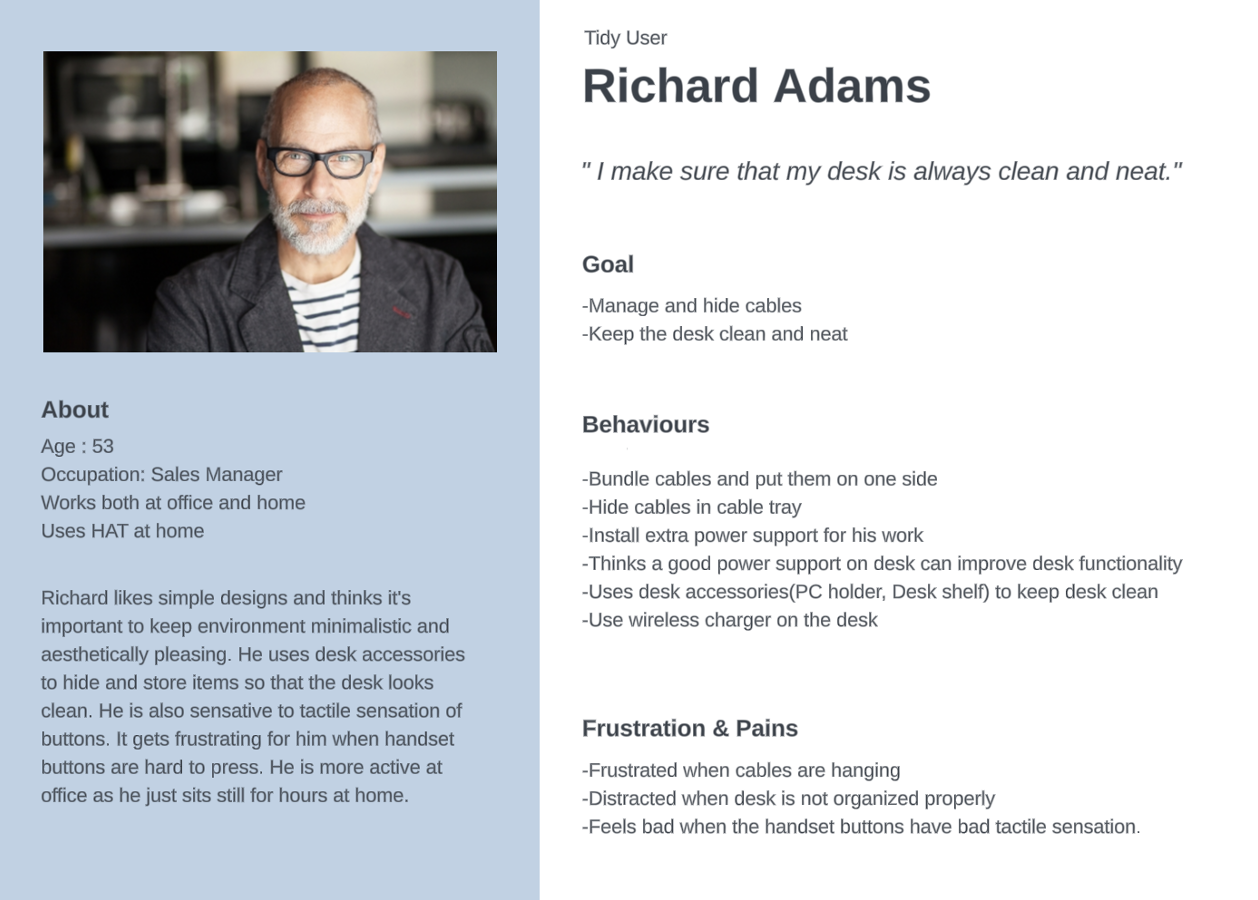
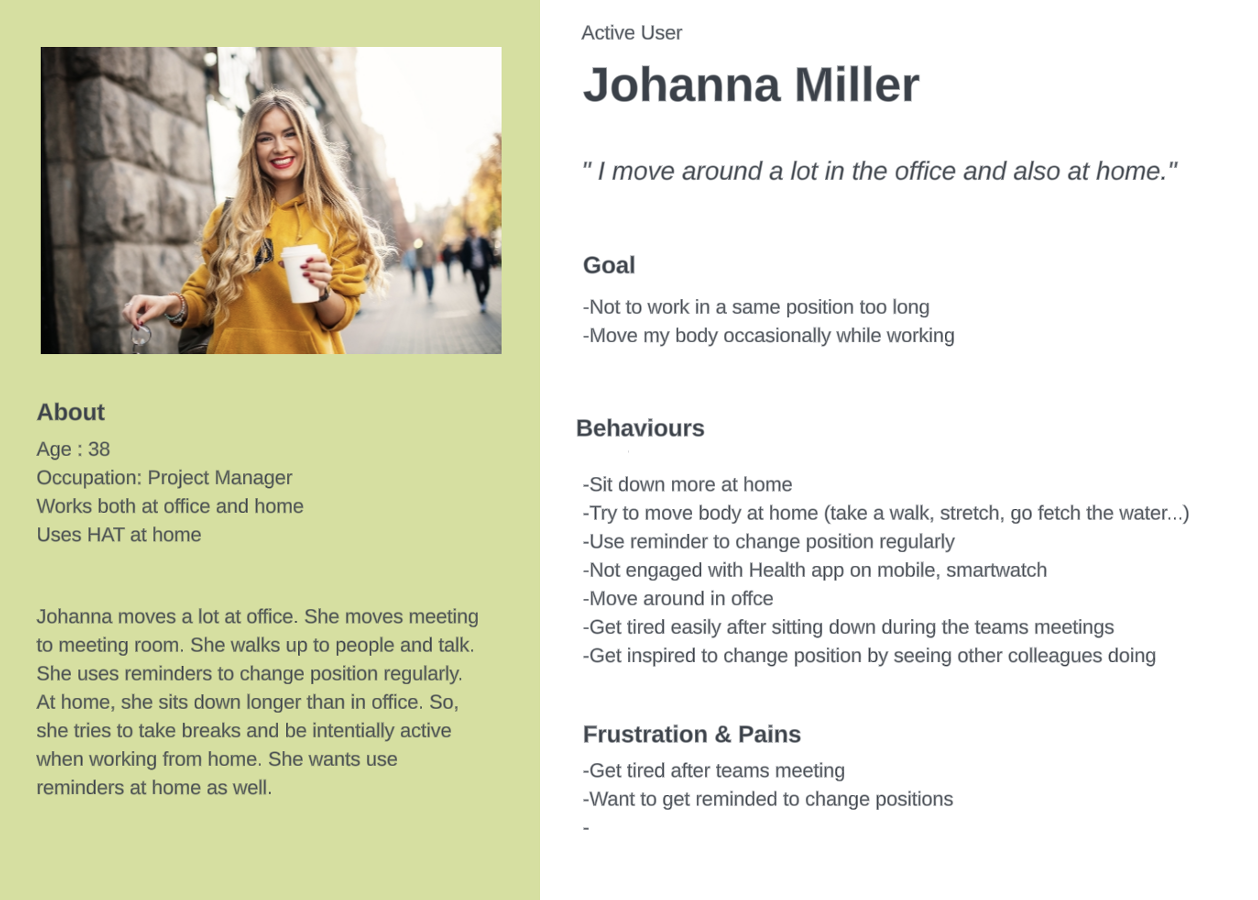
People forget to switch positions.
At home, they sit for hours because there are no social cues; in the office, colleagues’ movements naturally remind them to stand.
Reminders need to be respectful.
Frequent or full-screen prompts quickly turn from helpful to annoying.
Ergonomics matter at the moment of action.
Many try to sit or stand correctly but aren’t sure what “correct” means.
People glance, not analyse details.
They like seeing daily progress at a glance but rarely dive into charts.
Control preferences vary by precision. People love one-tap to reach saved positions (auto-drive) via the app, but rely on handset buttons for fine-tuning.
Key Insights & Design Directions
Create smart, gentle notifications to nudge users to move.
Let them change position instantly with a “Switch now” action directly in the notification.
Build a compact system-tray app.
It stays available without getting in the way. Allow users to adjust reminder cadence and pause notifications during focus time.
Provide just-in-time ergonomic tips.
Display them when users start the app or after changing desk height, guiding them right when it matters most.
Highlight daily goals with lightweight progress rings with optional details tucked away.
Keep auto-drive functionality in the application and enable instant access from the notification
Decisions & Next Steps
Based on the research, the team agreed on four core features for the MVP:
Compact menu-bar app that stays available without interrupting work
Daily goals and progress tracking that motivate without dashboards
Customizable reminders so users can set their own rhythm
Gentle, actionable notifications with one-tap desk control
They directly address the key findings (people forget to switch, dislike intrusive prompts, and want simple, fast control).
Next steps:
We planned to test and refine:
Reminder cadence (A/B different frequencies and quiet hours)
Focus-time detection to pause nudges automatically
Adoption and retention, tracking goal completion and weekly use