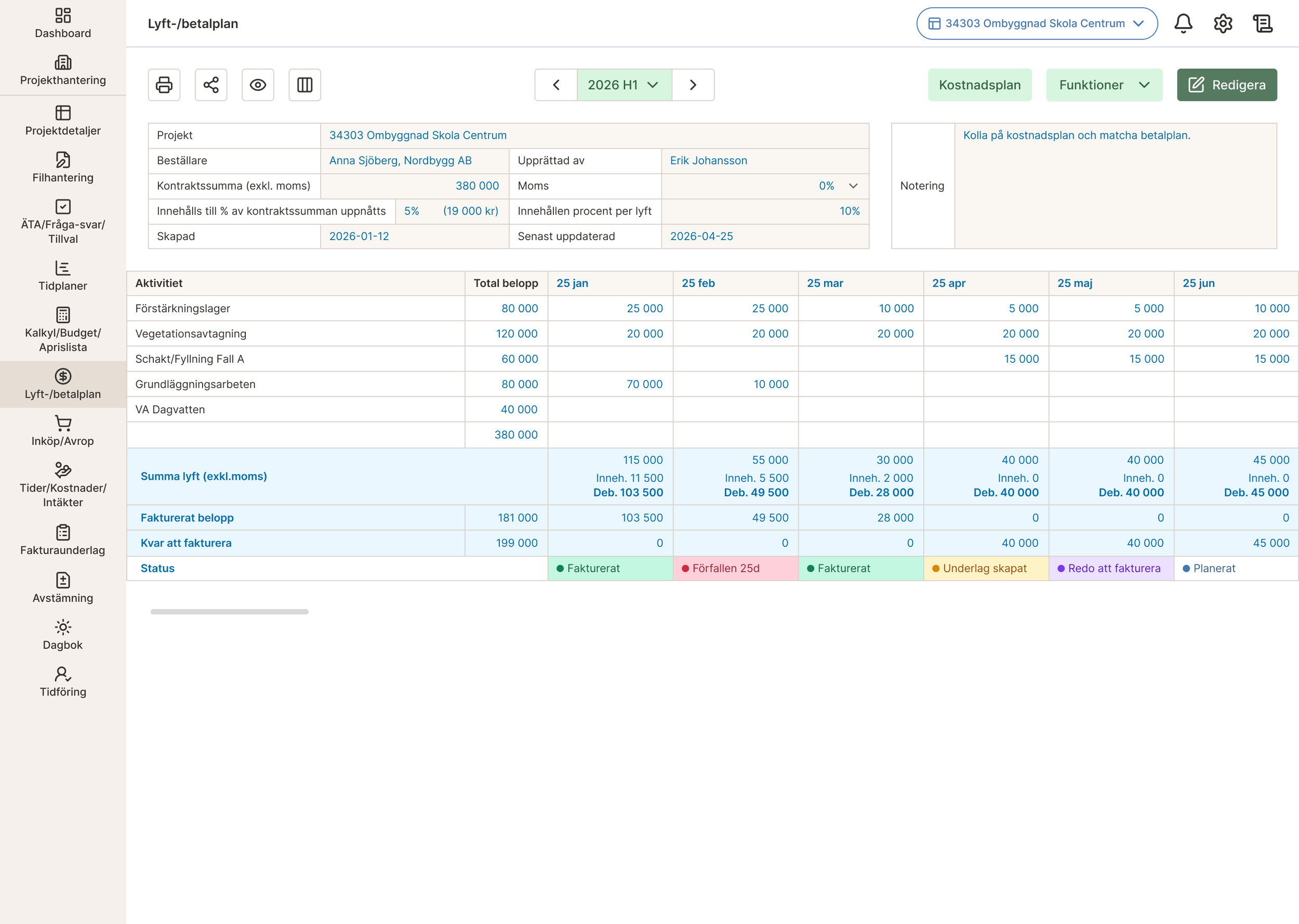
Payment plans that know what to invoice
Redesigning the payment plan module of a construction ERP, as the product moved from a Windows desktop app to the web.
Project Type
UX/UI Design
Role
UX/UI Designer
Duration
2026
Tools
Figma
FigJam
At a glance
Lifts are generated in one step instead of being added one by one.
Every lift shows its status, from planned to invoiced or overdue, with the right next action.
Tested by the client’s team, who especially liked the status-based actions.
The problem
Construction companies invoice their customers in lifts: partial invoices that follow a payment plan agreed in the contract. Part of each lift is withheld until the project is finished.
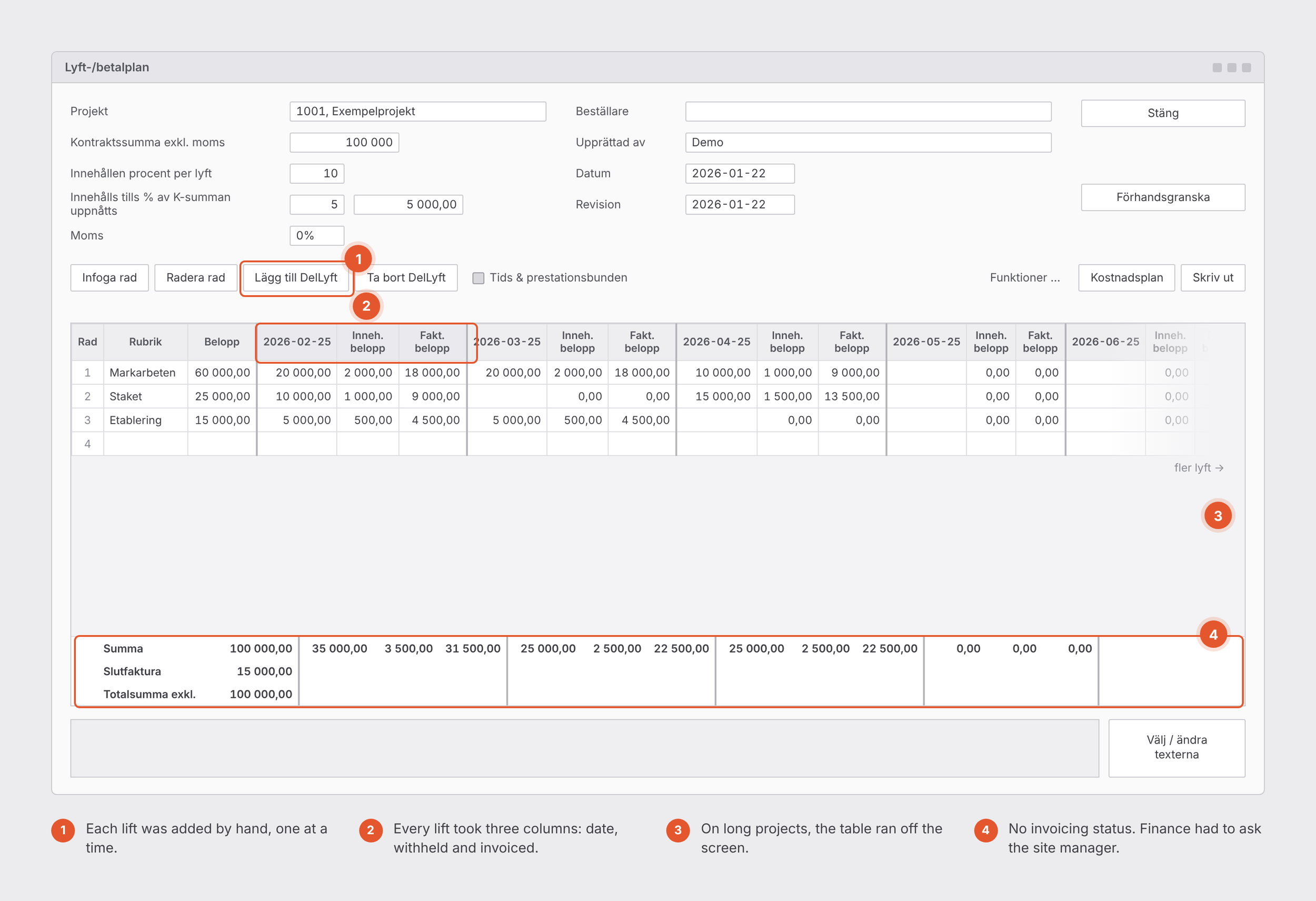
In the old system, the plan was built by hand. Each lift was added with a button and took three columns: date, withheld amount and invoiced amount. On a multi-year project, the table grew too wide to read.
Worse, the plan stood alone. It wasn’t connected to invoicing. To know what could be invoiced, the finance administrator opened every project, checked the plan, and texted the site manager to ask. Then she made the invoice basis by hand.
How I worked
I mapped every field and function in the old module.
I clarified the business rules with the client first. Change orders are invoiced separately, so the plan only needed to handle the contract sum and the withheld percentage.
I reviewed how other construction tools and paper plans show lifts.
Decision 1: Generate the plan instead of building it
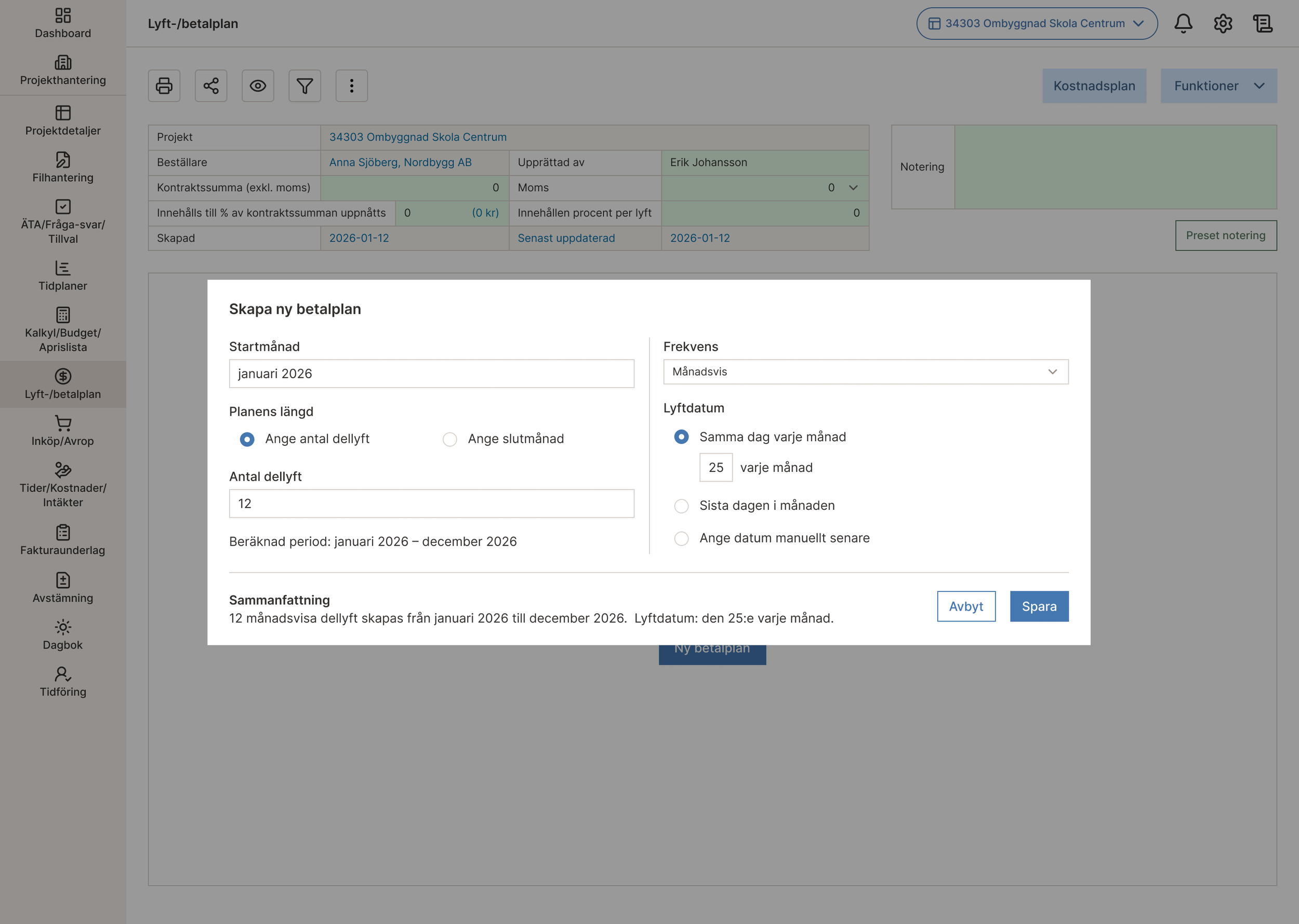
A short form asks for the start month, the number of lifts or an end month, the frequency (monthly, quarterly or custom) and the lift date. Before saving, a summary sentence shows exactly what will be created, for example “12 monthly lifts from January to December 2026, on the 25th of each month”.
Decision 2: Show invoice status, and the next action, in the plan
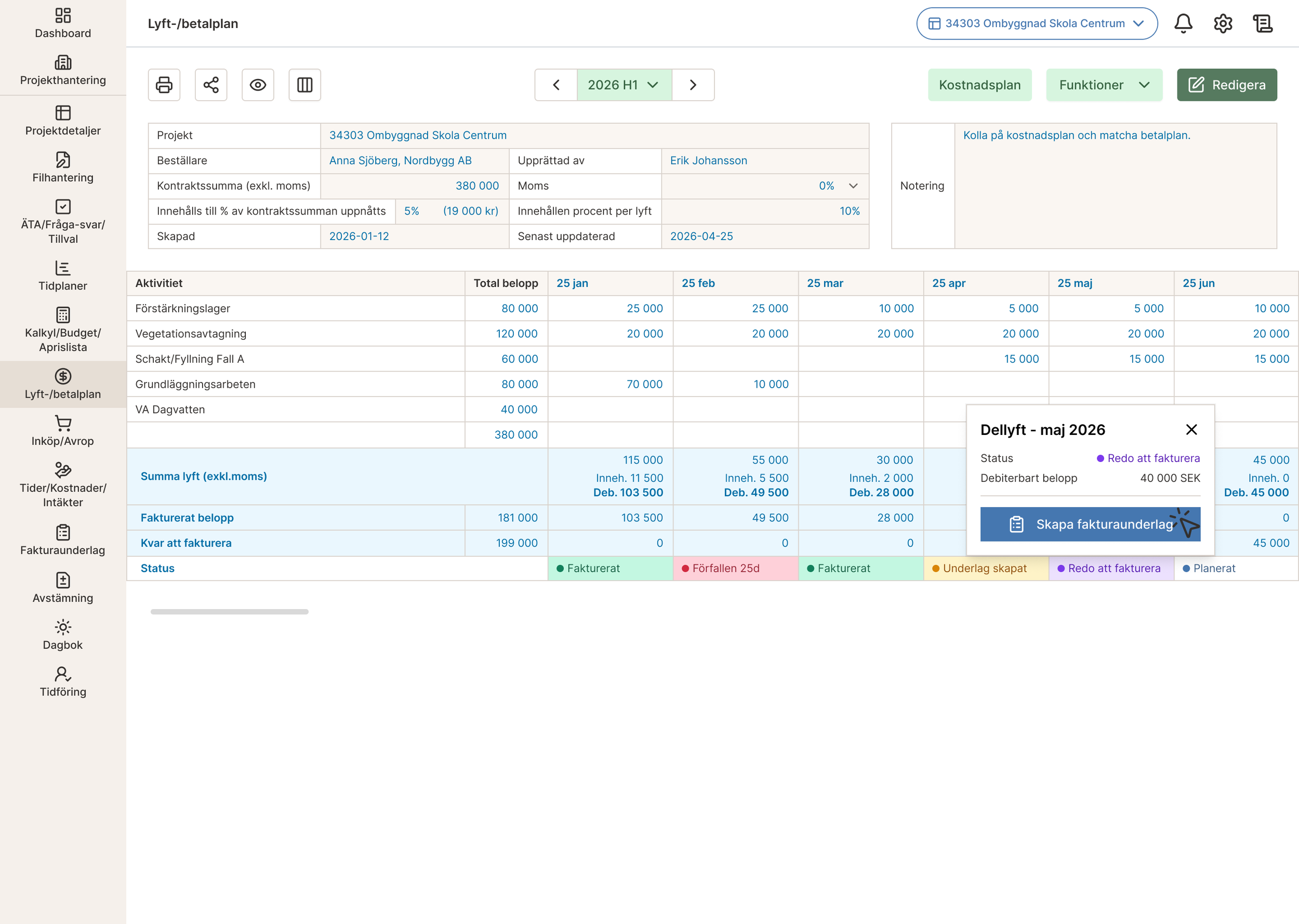
Under each lift, the plan shows the invoiced amount and what’s left to invoice. A status row follows each lift through its life:
Planned, Ready to invoice and Invoice basis created are set in the system itself.
Invoiced is fetched from Fortnox once the invoice has been sent to the customer.
Overdue is also fetched from Fortnox, with the number of days, if the invoice isn’t paid on time.
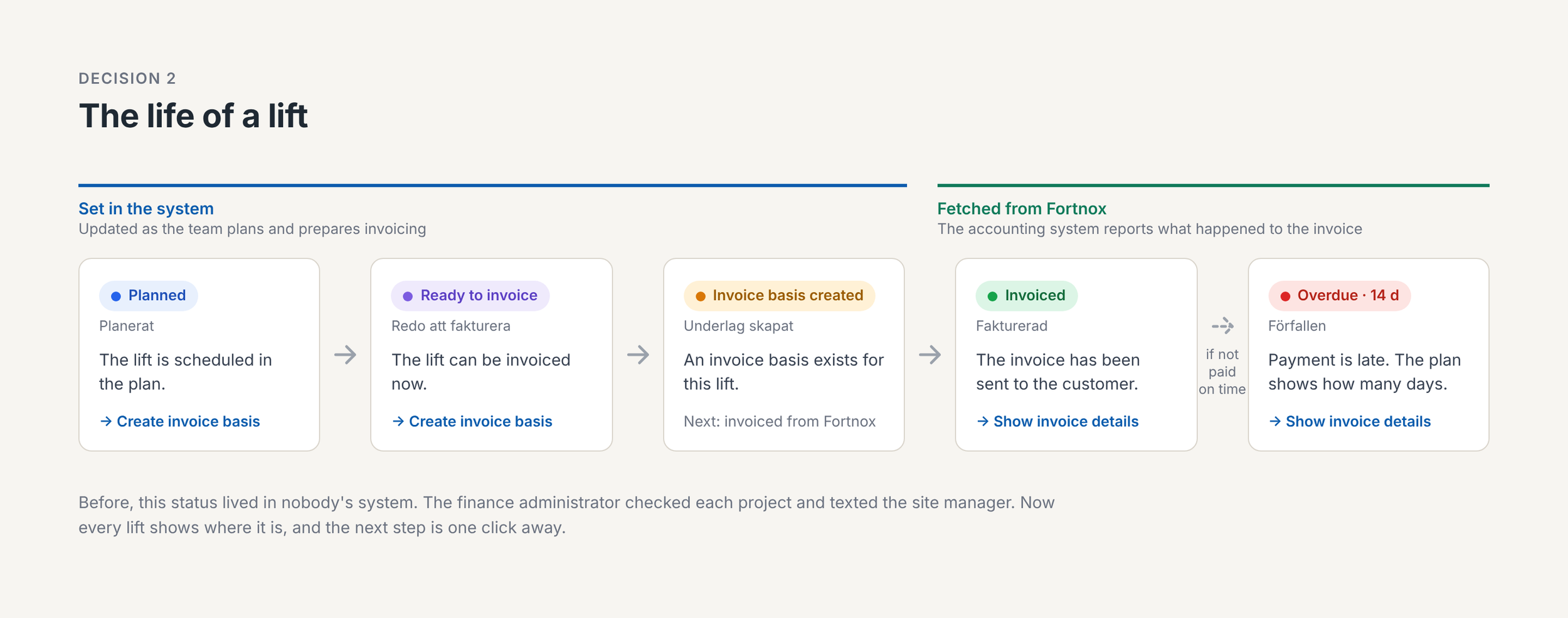
Clicking a status opens the details, with the action that fits:
Planned or ready to invoice: create the invoice basis
Invoiced or overdue: show the invoice details
This replaces the round of checking projects and texting site managers.
Decision 3: Make long plans readable
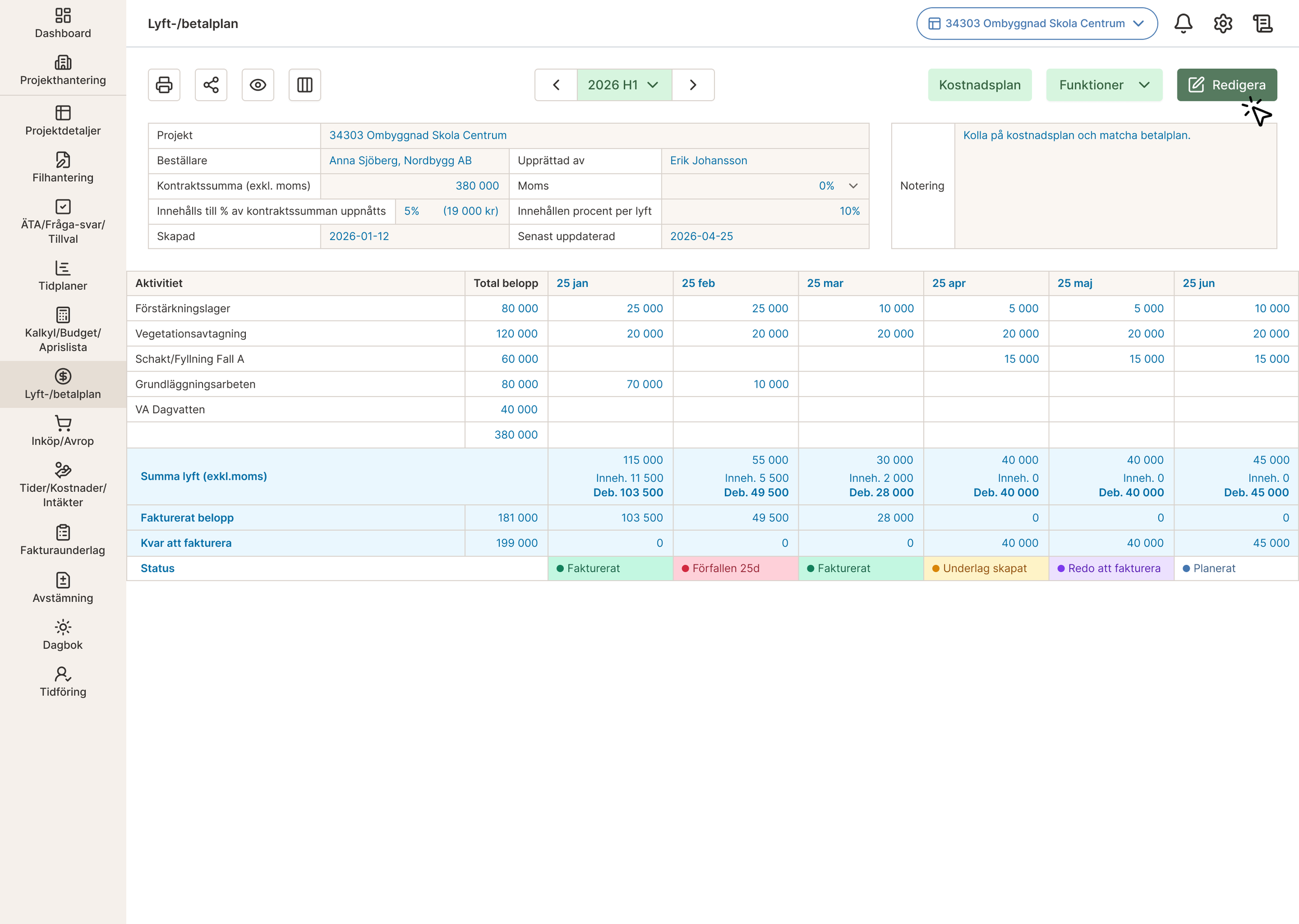
Each lift now takes one column instead of three, as the cover shows. The withheld and invoiced amounts moved into a summary row. Users move through the plan by half-year or quarter, and the “remaining” column hides when nothing remains.
Decision 4: Separate viewing from editing
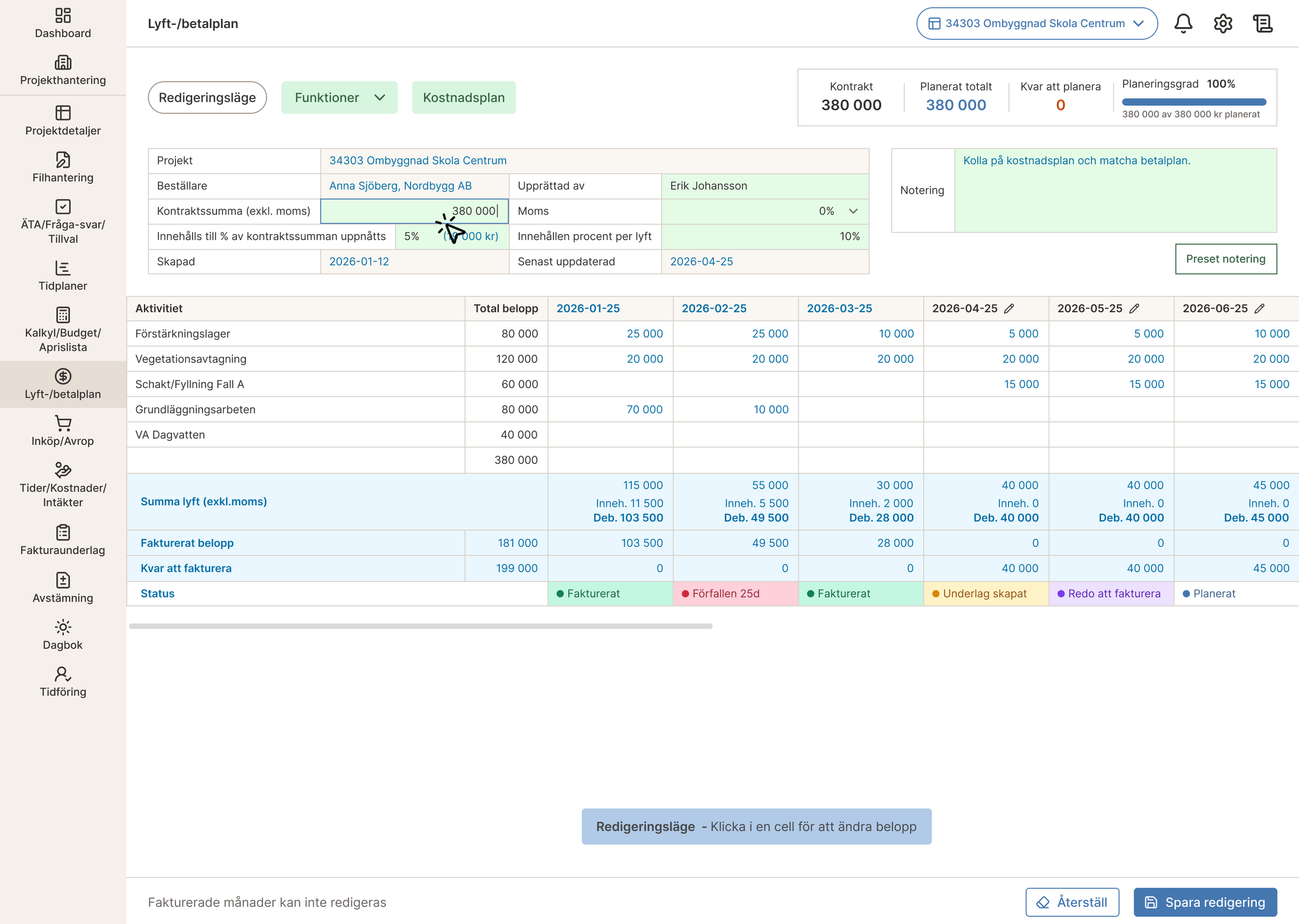
The plan opens read-only, and you press Edit to change it. These numbers are tied to contracts and invoices, so accidental changes are expensive. Invoiced months can’t be edited at all.
The split also prepares for an approval flow: the customer approves the plan, it stays locked, and any later change is agreed with the customer first and logged, so they can check it.
Result
The module was built as designed. The client’s team tested it and especially liked the statuses and the actions tied to them, such as creating an invoice basis directly from a lift that’s ready to invoice.
What’s next
The approval flow: customer approval, locked plans and a change log
Reminders, so the site manager confirms a lift and finance is notified
Measuring it: timing a real task, such as creating a quarterly plan, in the old and new systems